
Reports & Templates
Proper medical paperwork, written in the tablet and handed over as a physical item.
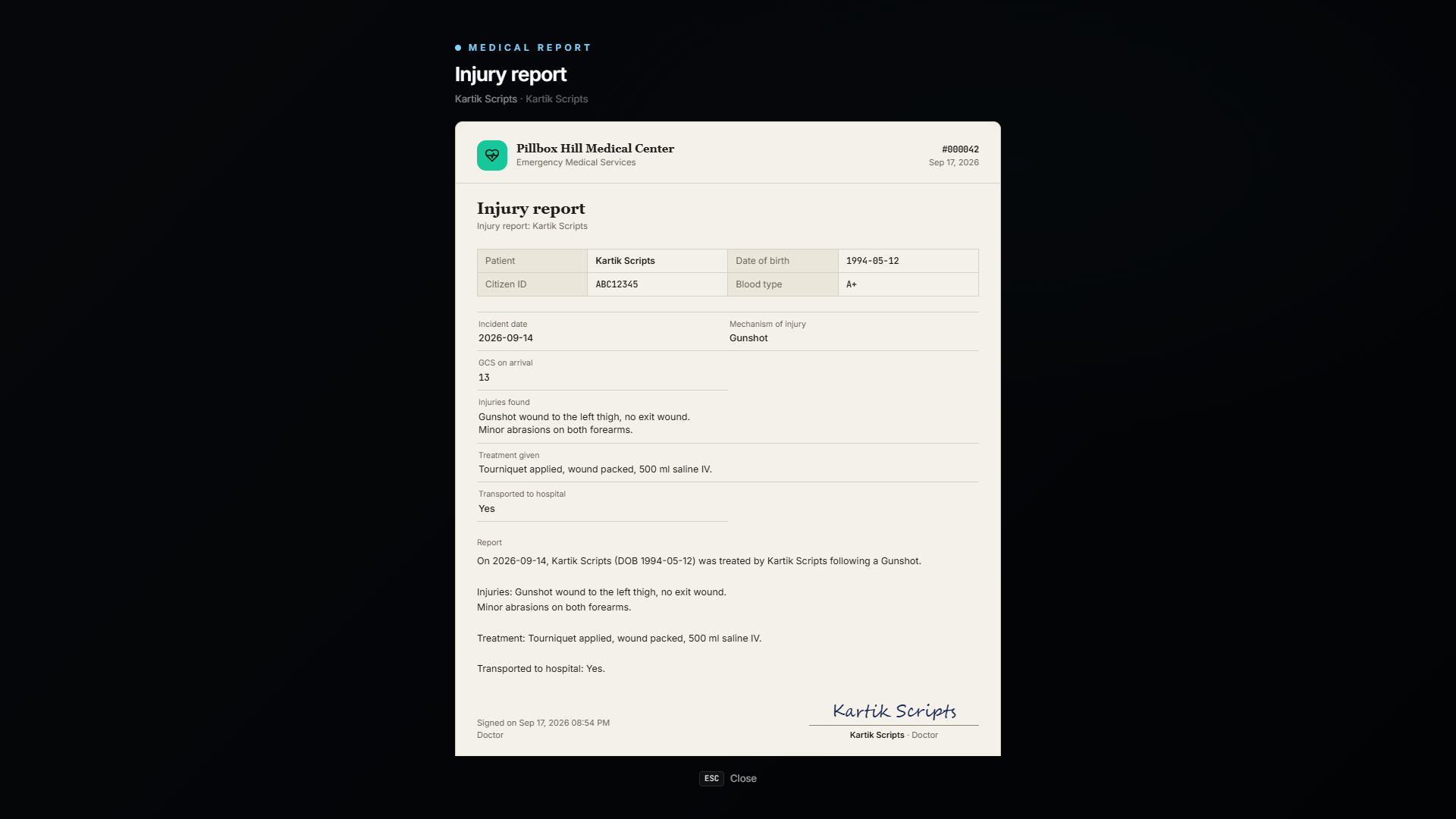
📝 Writing a report
EMS Tablet → Reports
- Pick a template.
- Fill in the fields.
- Sign it.
Patient details, your name, the hospital and the date fill themselves in. You only write the parts that need a human.
The finished report is:
- saved to the patient's medical record,
- pushed to your MDT,
- optionally handed over as a
medical_reportpaper item the patient can carry, read and show to anyone.
📚 The starter templates
A set is created on your first start:
| Template | For |
|---|---|
| Treatment Report | A standard record of what you did |
| Discharge Summary | Handing a patient back to normal life |
| Fitness Certificate | Proving someone is fit for work or duty |
| Sick Note | Proving someone is not |
| Police Injury Report | Documenting injuries for a criminal case |
| Psychological Evaluation | Mental health assessments |
| Death Certificate | Legal confirmation of death |
| Autopsy Report | Cause of death from a post-mortem |
| Transport Report | Documenting a patient transfer |
🏗️ Building your own templates
EMS Tablet → Report templates (rank 3+ by default)
A template is a set of fields plus text with placeholders.
Fields
Up to 30 per template. Each field has a label and a type, short text, long text, a date, a dropdown, a checkbox.
Placeholders
Write {{placeholder}} in the template text and it is replaced when the report is generated.
Patient {{patient_name}} (CID {{citizen_id}}) was treated at
{{hospital}} on {{date}} by {{medic_name}}.

Presenting complaint: {{complaint}}
Treatment given: {{treatment}}

Signed, {{medic_name}}, {{medic_rank}}
Text fields hold up to 2,000 characters.
This is how a server writes paperwork in its own voice. A serious medical RP server and a lighthearted one can use the same script and produce completely different documents.
📎 Paper copies
Issuing a report gives out a medical_report item. The item's metadata holds the report ID, so:
- Anyone holding it can read it.
- It can be handed to a lawyer, an employer, a police officer.
- It cannot be forged, it always shows the real saved report.
Turn paper copies off with Config.Reports.paperItem = false.
🔐 Permissions
| Action | Default rank |
|---|---|
| Write reports | 0 |
| Create & edit templates | 3 |
🏅 Medical certificates
Templates marked as a certificate, fitness certificates, sick notes and anything else you make, produce a formal paper:
- a drawn signature from the tablet's signature pad (certificates must be signed),
- a certificate number and a verification code like
K7QM-29XF, - a validity line, valid until a date, or no expiry.
Validity
In the template editor, tick Certificate and pick which date field sets the expiry ("Expires on"). The certificate becomes expired at the end of that day, all by itself, the paper always shows its current status.
Verifying
Anyone can be handed a certificate. To check it is real: EMS Tablet → Reports → Verify, type the code, and the real record comes up with its status, Valid, Expired or Revoked.
Other scripts (police MDT, employers, DMV) can check codes too, with the VerifyCertificate export.
Revoking
The doctor who signed a certificate, or anyone who may manage templates, can revoke it, with a reason. A revoked certificate says so on every copy, instantly.
A fake sick note or a forged fitness certificate gets caught the moment someone checks the code.
⚰️ Death certificates & autopsies
Two of the templates are tied to the permadeath and morgue system:
- A death certificate can only be issued for an identified body, by someone with the Certify Deaths permission (rank 3+).
- An autopsy report is generated from a real autopsy performed at a morgue table, and contains the real cause of death, which may contradict what the killer claimed.