
Admin Panel
Every admin tool in one window. Type /emsadmin.
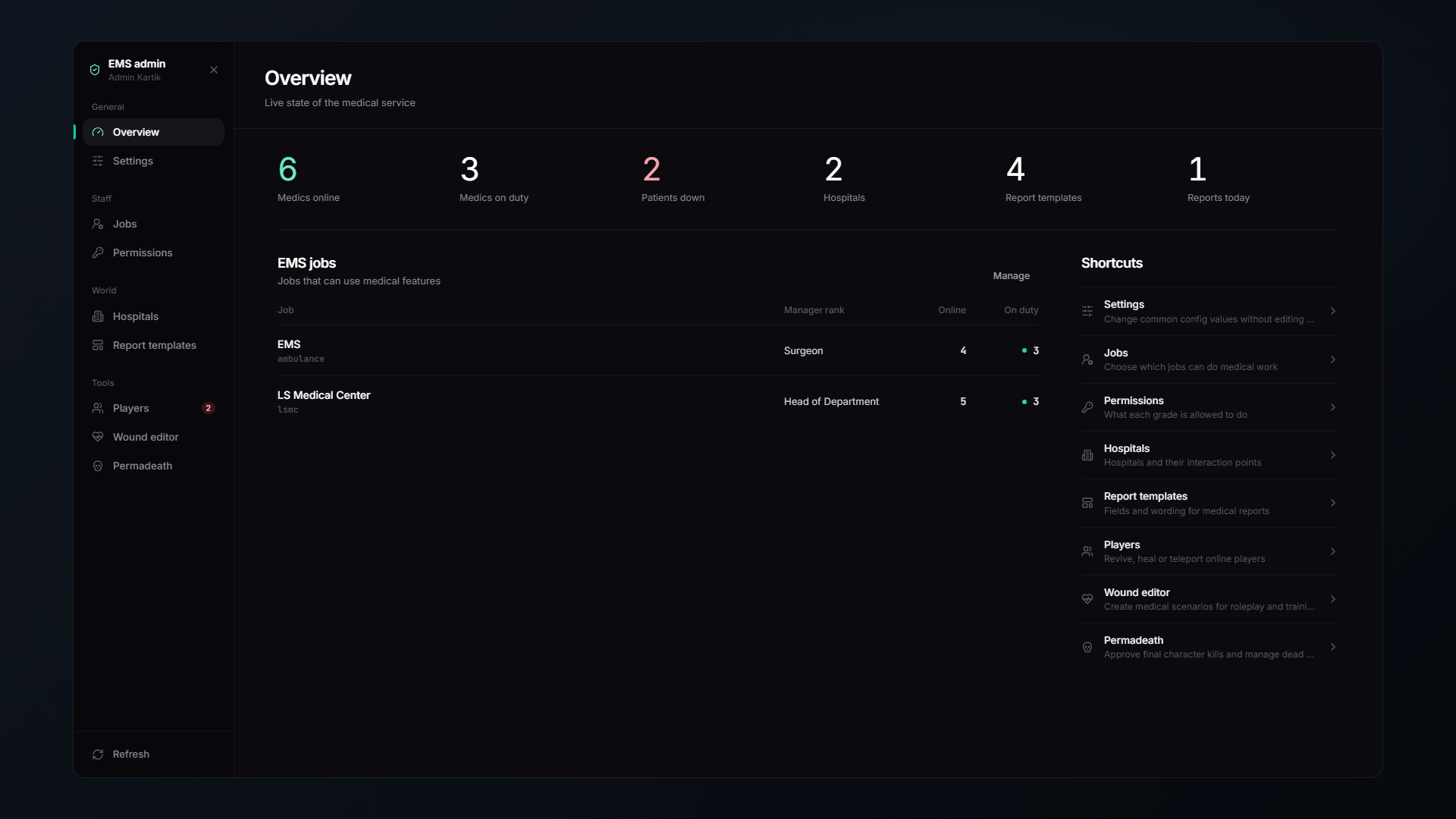
Access is granted to your framework's admins, or anyone holding the ace in Config.AdminAce (default group.admin).
Everything you change here is saved in the database. No file editing, no restarts.
📑 The pages
| Page | What it does |
|---|---|
| 📊 Overview | Server health at a glance, medics on duty, active patients, hospitals |
| 👔 Jobs | Which jobs count as medical staff, their manager ranks and easy mode |
| 🔐 Permissions | The grade × permission matrix |
| 🏥 Hospitals | Build and edit hospitals in game with a freecam |
| 📄 Templates | Report templates for the whole server |
| 👥 Players | Revive, heal, kill, bring, go to, every online player |
| 🩹 Wound Editor | Hand out injuries and diseases for scenarios, see and remove everything on a player |
| ⚰️ Permadeath | Approve, review and restore final character kills |
| ⚙️ Settings | Live overrides for almost every config value |
| 🧰 Tools | Prop positions, prop showcase, vehicle photos, stuck sounds |
⚡ Admin commands
| Command | |
|---|---|
/revive [id] | Revive a player (or yourself) |
/reviveall | Revive everyone on the server |
/reviveradius [m] | Revive everyone within a radius |
/heal [id] | Fully heal a player |
/kill [id] | Kill a player |
/killall [radius] | Kill everyone, optionally within a radius |
/curedisease [id] | Cure a player's diseases |
🧰 Setup tools
Prop positions, the prop showcase and vehicle photos are on the Tools page. Only three tuning commands are left for custom models:
| Command | |
|---|---|
/monitoradjust | Line up a patient monitor screen on its prop |
/tvadjust | Line up a hospital board screen on a custom TV model |
/bedexit | Tune the get-up-from-bed animation |
🪵 Logging
Everything admins and medics do can be logged to Discord or ox_lib, with a separate webhook per category:
death · revive · treatment · prescription · records · billing · admin · creator · aipatients · pager · permadeath
Configured in shared/server/config.lua under ServerConfig.Logs.
🔄 Update checker
The script can check for new versions on start. Point ServerConfig.VersionCheck.url at a file returning either plain text (1.2.0) or JSON:
{ "version": "1.2.0", "changelog": "..." }