
Hospital Creator
/emsadmin → World → Hospitals
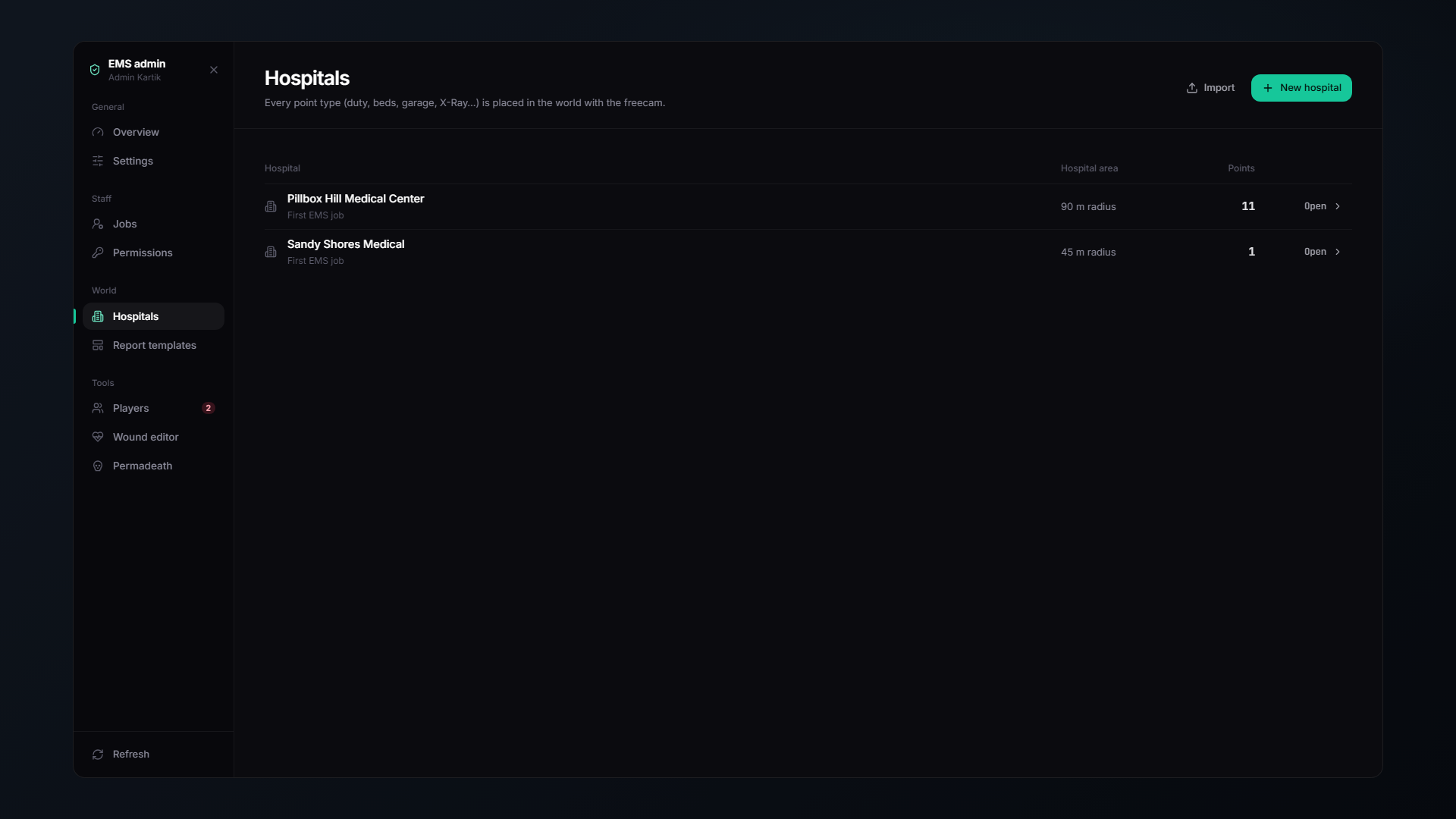
Build any MLO into a fully working hospital, in game, with a freecam. Nothing is written to a file, it all lives in the database.
Pillbox, Sandy Shores and Paleto Bay are imported as examples on your first start. If your server uses different MLOs, delete them and build your own.
🕹️ How placing works
- Create a hospital and give it a name.
- Pick a point type and press Place.
- You go into a freecam. Fly to where the point should be.
- For points with a direction, scroll to set the heading.
- Confirm.
Live previews
The creator shows you what you are actually placing:
| Preview | Used for |
|---|---|
| A ped standing | Desks, shops, respawn points |
| A ped lying down | Beds, X-ray, CT, MRI, surgery and morgue tables, aim at a bed and the patient snaps onto it |
| The real prop | Patient monitors and TVs, so you can hang them exactly right |
📍 Every point type
👔 Staff
| Point | |
|---|---|
| Duty Toggle | Where medics clock in and out |
| Personal Lockers | Private stash, 40 slots |
| Supply Shop | Choose which shops it sells, Medical Supplies, Equipment Locker, or both |
| Cloakroom | Change into uniform |
| Boss Menu | Society management for boss ranks |
| Garage | Department and owned vehicles. Pick the category (car, air, boat) and add vehicle spawn points |
🧍 Patients
| Point | |
|---|---|
| Check-in Desk | Reception. Pick the receptionist ped model |
| Hospital Bed | A lying point. Patients respawn, recover and are monitored here |
| Respawn Point | Where players respawn if not using beds |
| Pharmacy | Over-the-counter medicine and prescription pick-up. Pick the pharmacist ped |
| Insurance Desk | Buy plans. Pick the clerk ped |
| Physiotherapy | Rehab sessions that end mobility orders early. Pick the staff ped, see Physiotherapy |
| Ambulance Bay | The drop-off point. Closes active pre-alerts |
🔬 Treatment
| Point | |
|---|---|
| X-Ray Table | Lying point |
| CT Scanner | Lying point |
| MRI Table | Lying point |
| Surgery Table | Lying point |
| Laboratory | Blood tests, cultures and DNA analysis |
🩸 Blood
| Point | |
|---|---|
| Blood Fridge | Blood bag storage |
| Blood Donation Chair | Where players donate |
⚰️ Other
| Point | |
|---|---|
| Morgue Table | A lying point, a body lies here like a patient on a bed |
| Elevator | One stop per floor, each with its own label |
📺 Screens
| Point | |
|---|---|
| Hospital Board / TV | The live board. Pick the TV size (32″, 43″, 55″, 65″), the real prop is previewed while you hang it |
| Bedside Monitor | A patient monitor next to a bed. Pick the model |
| Imaging Screen (wall) | A TV on the wall beside an X-ray / CT / MRI or surgery table. Mirrors the workstation and the operation live, see Imaging Workstation |
| Imaging Screen (stand) | The same screen on a rolling TV stand, for rooms without a free wall |
An imaging screen shows the scanner table within 8 m of it. With several tables in one room, each table goes to its own nearest screen.
🧭 The overview plot
A colour-coded top-down map of everything you have placed, so you can see at a glance which parts of the hospital are set up and which are empty.
You can also search, by point type, by name, or by part of the coordinates.
📦 Import & export
Export a hospital as JSON, import it somewhere else.
This is how you share MLO setups. Anyone using the same hospital MLO can drop in your JSON and have a fully configured hospital in seconds, with no manual placement at all.
It is also your backup: export your hospitals before major changes.
✅ A minimum working hospital
You do not need every point type. The smallest useful hospital is:
- Duty Toggle: so medics can clock in
- Supply Shop: so they can get equipment
- Respawn Point or a couple of Hospital Beds, so players come back somewhere sensible
Add check-in, pharmacy, scanners and the board as your server grows into them.
🛠️ Tuning props
Treatment props, the prop showcase and vehicle photos are on the Tools page. For custom monitor and TV models:
| Command | |
|---|---|
/monitoradjust | Line a monitor screen up on its prop |
/tvadjust | Line a board screen up on a custom TV model |
/bedexit | Tune the get-up-from-bed animation |
Each prints the finished config line to F8 when you press ENTER.