
Permadeath
/emsadmin → Permadeath
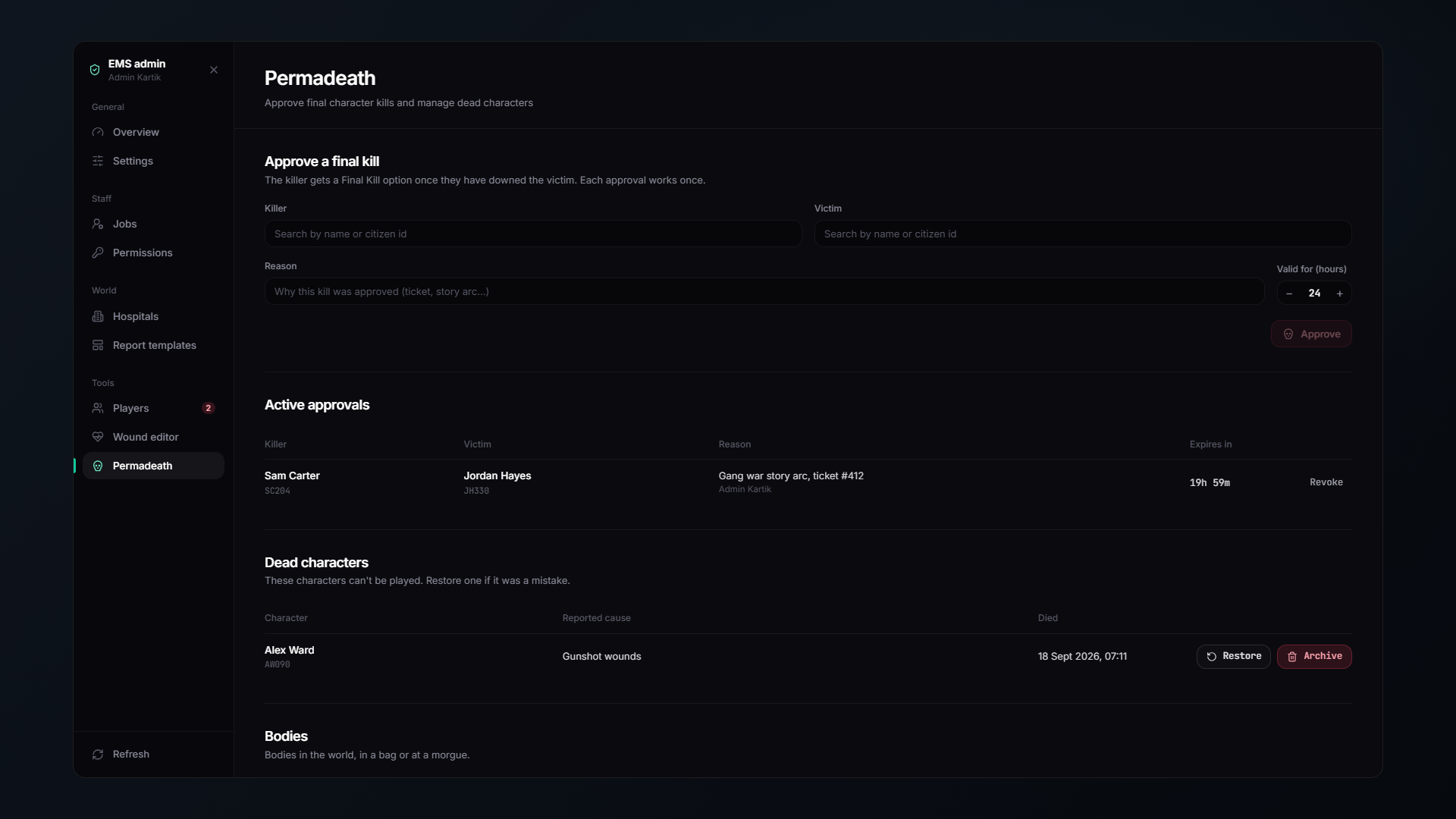
Off by default. This system permanently retires characters.
Granting an approval
Pick the killer and the victim. That is one approval, for one character, by one player.
| Expires after | 24 hours if unused |
| Window after the victim goes down | 10 minutes |
| Victim is notified | No, by default |
requireKiller = false by default, which means an approved grant lets the killer finish the victim without strict hit tracking. Set it to true if you want the approved killer to be the one who actually downed them.
Reviewing
The page lists:
- Active grants: approved and not yet used.
- Completed kills: who, when, and the cause the killer declared.
- Bodies: every corpse in the world and its decomposition stage.
Restoring
Made a mistake, or the roleplay went wrong? Restore brings the character back.
Characters are marked dead, never deleted. Restoring is always possible unless you explicitly archive them.
Archiving
The Archive button permanently removes a dead character from the framework. Manual only by default.
Setting archiveAfterDays to a number archives dead characters automatically after that long.
What happens next
Once a kill goes through, the rest is medic work, finding the body, DNA, autopsy, death certificate.
Logging
Every grant, kill and restore goes to the permadeath webhook.