
Clothing & Appearance
A high-performance, feature-complete FiveM clothing, barber, tattoo, wardrobe, and custom 3D garment design studio resource built for QBX, QBCore, ESX, and Standalone servers.
🌟 Overview
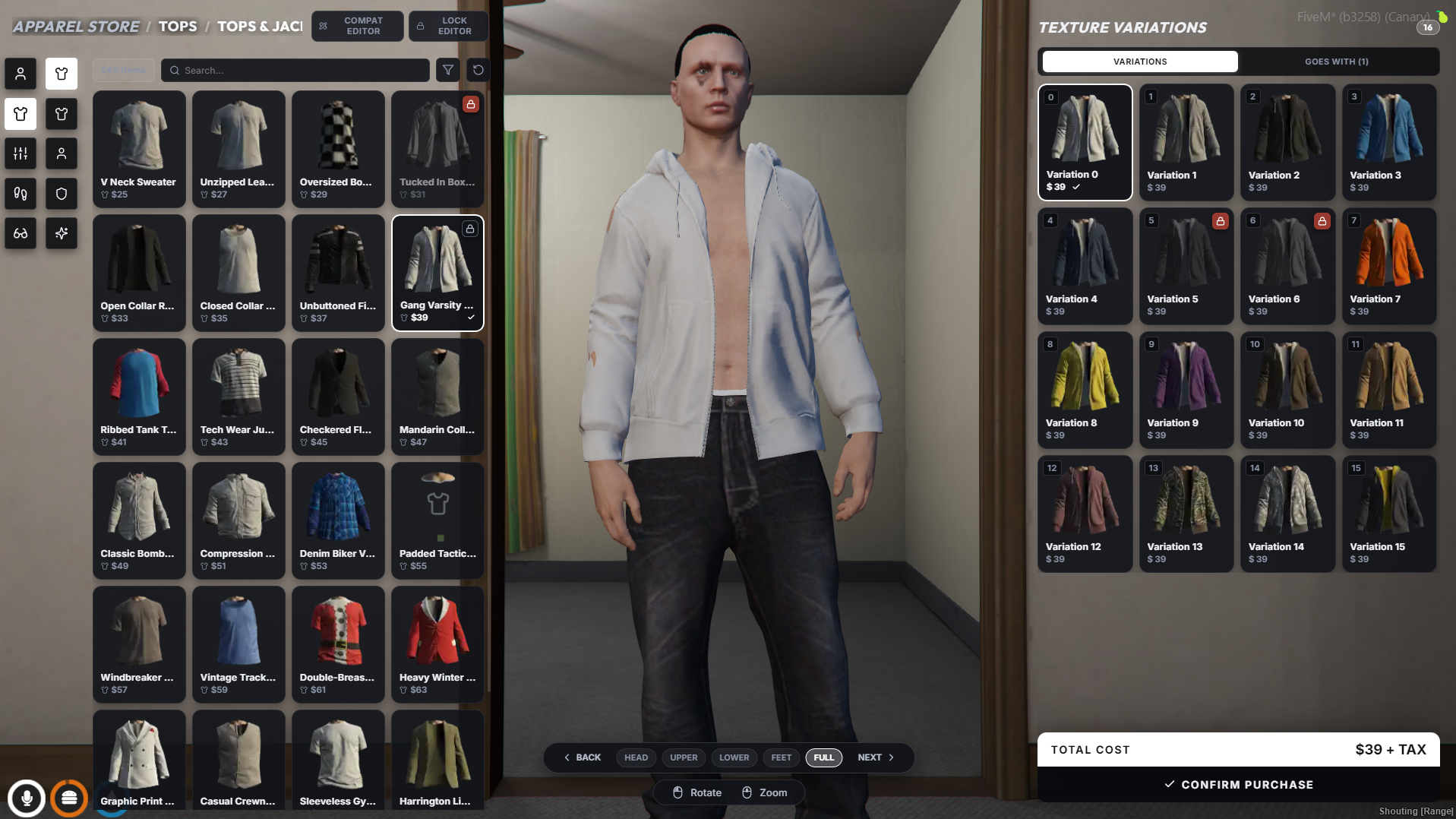
kartik-clothing offers an all-in-one appearance ecosystem featuring a sleek modern UI, real-time 3D character preview, dynamic shop management, and an industry-first In-Game Custom Garment Designer Studio that allows players and server creators to design, texture, bake, publish, and monetize custom apparel.
🔥 Key Highlights
- 🧬 Character Creator: Complete genetics, heritage blending, head shape, skin tone, facial features, hair dye swatches, makeup, and starter outfit selection.
- 🛍️ Clothing & Barber Shops: Clean NUI interface for browsing GTA V components, props, overlays, hairstyles, beards, makeup, face paint, and tattoos with real-time camera controls.
- 👑 In-Game Dynamic Shop Manager: Live shop builder (
/shopmanager) allowing admins to create, position, configure, and manage clothing, barber, tattoo, and wardrobe shop zones dynamically without restarting the server. - 🎨 Custom 3D Garment Designer Studio: In-game 2D canvas editor with drawing tools, image imports, layer blending, UV guides, and 3D mesh rendering for creating custom clothes.
- 💳 Tebex Monetization & Design Credits: Integrated token credit economy enabling server owners to sell design creation passes via Tebex or reward players in-game.
- 📁 Wardrobe & Outfit Management: Save, name, rename, preview, and apply custom outfits or job uniforms with built-in export/import compatibility.
- ⚡ Illenium & QB-Clothing Compatibility Layer: Native drop-in exports and events matching
illenium-appearanceandqb-clothingfor seamless integration into existing server frameworks and scripts.
🗺️ Quick Navigation
- 🖼️ Preview & Showcase, Visual walkthrough of all interface screens and studio components.
- ⚙️ Installation, Step-by-step installation, database setup, and framework setup.
- 🧭 Admin Guide, Where To Change What, Start here. Every setting, and whether it lives in the UI, a config file, a command, or the database.
- 🔧 Configuration, Reference for the
shared/config files: pricing rules, design studios, media base URLs, and colour palettes. - 🚦 Access Control & Blacklists, Restricting garments, blacklisting items, job-locked stores, and ped access.
- 💬 Commands & Keybinds, List of in-game player and admin commands.
- 🔌 Exports & API, Client and Server Lua exports for external script developers.
- 🧬 Multicharacter Guides, Step-by-step integration guides for um-multicharacter, qbx_spawn, qb-multicharacter, zsx, and esx.
- ⚡ Supported Frameworks & Scripts, QBX, QBCore, ESX, Standalone, and multicharacter integrations.
- 🔄 Migration Guide, Automated migration tool (
/migrateillenium) and guide for illenium-appearance and qb-clothing. - ✨ Features Overview, In-depth breakdown of every subsystem.