
Gang Tablet
The Gang Tablet is where gang members do almost everything: check turfs, run contracts, declare wars, trade, chat and run the organisation.
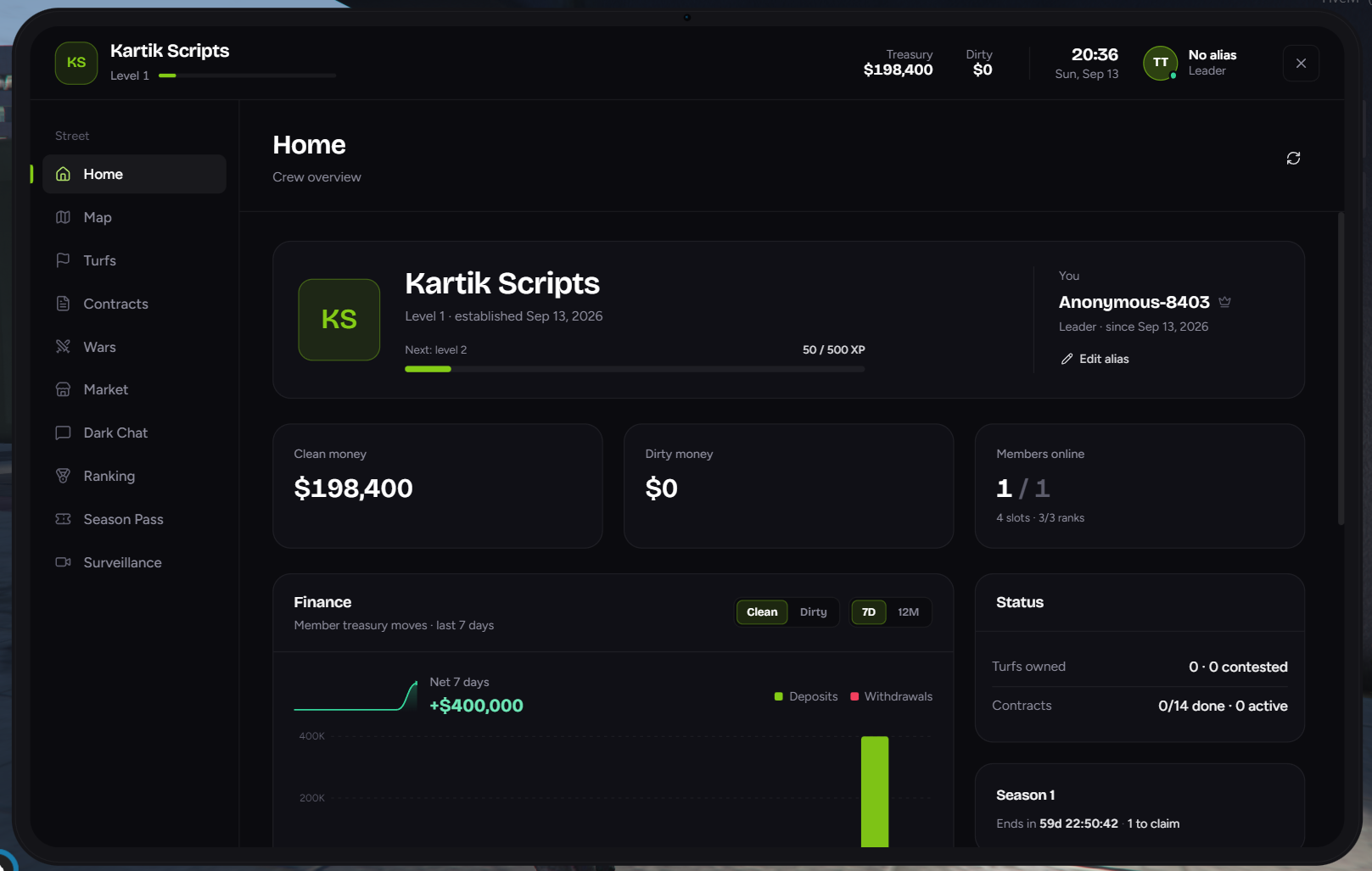
🔓 Opening the tablet
| Way | How |
|---|---|
| Item | Use the Gang Tablet item from your inventory |
| Command | Type /gangtablet |
| Key | Press the tablet key, if your server has set one |
- Only gang members can open it. Anyone else sees "You are not part of a gang."
- It won't open while you're dead, cuffed, tied up or bagged.
- Close it with Esc or the X in the top right. If a window is open inside the tablet, Esc closes that first.
🖥️ Two ways to use it
Street tablet
Open it anywhere. You get the Street pages.
Hideout desk
Go to the Desk in your hideout (or desk furniture) and interact with it. The same tablet opens with "· Hideout desk" next to the gang name, and the Organisation pages unlock.
- The desk needs the Management permission.
- If you walk more than about 15 metres away, management actions stop working with "Use the hideout desk to do this."
- Some servers only let one person use the desk at a time: "Someone else is using the desk, please wait."
Server owners can let gangs use the Organisation pages anywhere by turning on ManageFromTablet in shared/core.lua.
🔝 Header
| Part | What it shows |
|---|---|
| Emblem & gang name | Your gang's logo (or initials) in the gang colour |
| Tier badge | Your gang's tier. Click it to open the Tier page |
| Level N + bar | Gang level and progress to the next level. Hover to see the exact XP |
| Treasury | Clean money in the gang treasury. Updates live |
| Dirty | Dirty money in the gang treasury |
| Clock | Time and date |
| Profile | Your alias (or "No alias") and your rank. Click it to open your Profile |
| X | Close the tablet |
📚 Pages
Street
Available anywhere:
| Page | What it's for |
|---|---|
| 🏠 Home | Gang overview, money, status and recent activity |
| 🪜 Tier | Your gang's tier, requirements and promotion requests |
| 🗺️ Map | Live city map with turfs, hotspots and rackets |
| 🏳️ Turfs | Turf list, influence, street market, rivalries and your graffiti |
| 📜 Contracts | The gang's daily missions |
| ⚔️ Wars | Current war, war requests and history |
| 🛒 Market | Buy and sell with other gangs |
| 🕶️ Dark Chat | Anonymous chat with every gang |
| 🏅 Ranking | Gang leaderboards, weekly and monthly prizes |
| 🎟️ Season Pass | Free and premium rewards |
| 🎁 Daily Spin | Free daily prize wheel |
| 🕵️ Surveillance | Your cameras, trackers and sensors |
| 👤 Profile | Your alias, permissions and activity |
Organisation
Available at the hideout desk:
| Page | Needs | What it's for |
|---|---|---|
| 👥 Members | - | Roster, invites, ranks and firing |
| 🪜 Ranks | Rank Editor | Create ranks and set permissions |
| 💰 Treasury | Treasury | Deposit, withdraw and the ledger |
| ⬆️ Upgrades | Management | Buy slots and unlock features |
| 🚙 Fleet | Garage | Gang vehicles, towing and selling |
| 🏪 Dealership | Management | Buy gang vehicles |
| 🏠 Hideout | Management | Interiors, furniture and outfits |
| 🎨 Branding | Branding | Gang colour, logo, banner and plate prefix |
| 📋 Activity | - | Everything the gang has done |
Also see the On-screen HUD for everything shown outside the tablet.
ℹ️ Good to know
- Pages you can't use are hidden. If a feature is turned off on your server, or your rank doesn't have the permission, the page doesn't show in the sidebar.
- Tier locks show a banner. If your gang's tier is too low for a page's main action, a banner says which tier is needed.
- Greyed-out buttons explain themselves. Hover a disabled button to see why, for example "No free member slots - buy more in Upgrades".
- Badges on the sidebar show new war requests, chat messages and sensor alerts.
- Everything updates live. Money, members, turfs and wars refresh without reopening the tablet.