
Publishing & Sharing
💾 Save, Publish, Default
Save is the orange button at the top right. Everything else is in the publish menu next to it, which shows the design's state: Draft, Published (green dot) or Default (★).
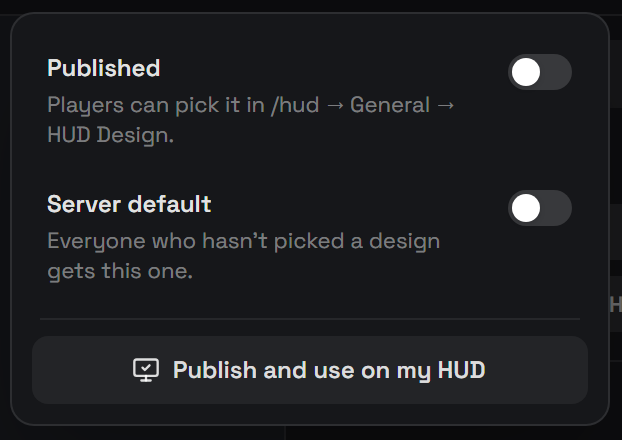
| What it does | |
|---|---|
| Save (Ctrl+S) | Saves the design on the server. Players don't see it yet. |
| Published (switch) | Players can pick the design in /hud, it appears in the style lists marked (custom) and in General → HUD Design. |
| Server default (switch) | Everyone who hasn't picked a design gets this one. Also publishes it. |
| Use on my HUD | Puts the design on your own HUD straight away (publishing it if needed). |
Publishing alone doesn't change anyone's HUD. Players pick a published design themselves; use Default to give it to everyone at once.
Saving a published design updates it for every player live.
With Config.Builder.playerChoice = false, players cannot pick designs and everyone gets the Default design.
🧩 What a design replaces
With nothing selected, open the Design tab in the right panel → Replaces built-in parts. Tick the built-in parts your design takes over, for a custom speedometer that's Speedometer and Vehicle Status; for a status row, Player Status.
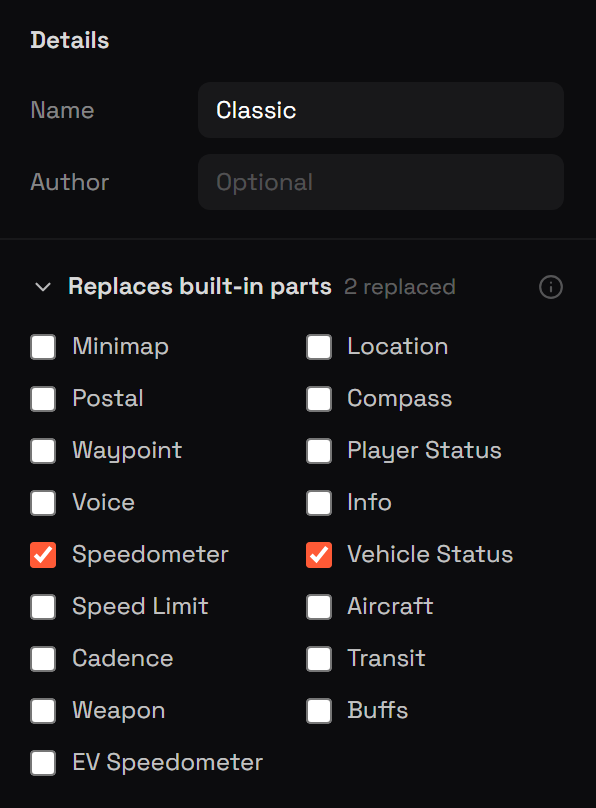
EV Speedometer replaces the speedometer in electric cars only, so a design with just an EV widget leaves petrol cars alone. Designs that replace it show up in /hud → Electric Cars.
📐 Placing widgets on screen
- Arrange (top bar, or Arrange on screen in the widget settings) opens the real screen with your widgets on it, drag and resize them into place. Built-in parts show faded for reference.
- Or set Starting position (anchor, X, Y, scale) in the widget settings.
Players can still move and resize widgets in their own Edit Layout.
🧪 Testing
Test shows the design on your screen with live game data, drive, shoot, take damage. Press Esc or Back to builder to return.
The Preview bar below the canvas runs simulated data instead: pick a vehicle type, drag the slider from calm to flat-out and badly hurt, or press ▶ to sweep it. Armed gives the player a weapon, and Electric (car only) makes the car an EV, the low end of the slider then brakes, so regen shows too.

🔗 Share codes
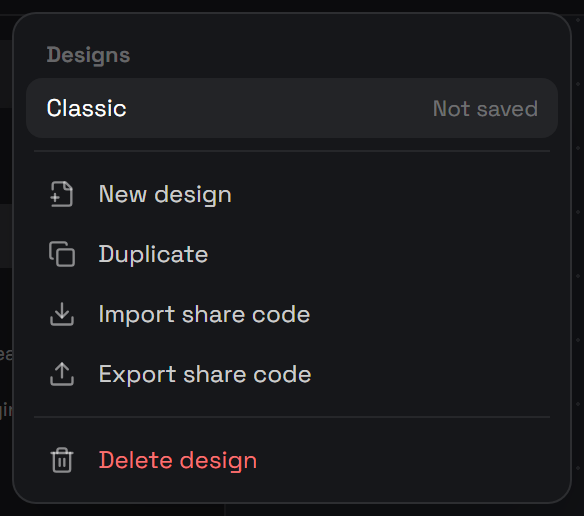
- Export share code (design menu, click the design's name) gives a code for the design. Copy it and send it to anyone.
- Import share code pastes a code and opens it as a new, unsaved design.
Codes work between servers. Every imported design is checked field by field, no code, markup or unsafe links can come in through a share code.
📂 Managing designs
| Design menu | Click the design's name in the top bar to switch between saved designs. ★ marks the default, Published marks published designs. |
| New | Start from Blank, a template, or any /hud style |
| Duplicate | A copy to experiment with |
| Delete | Removes it for everyone; players using it go back to the default HUD |
Designs are stored in data/designs.json (up to 60 designs).