
Using the HUD
⚙️ The /hud menu
Type /hud to open the settings menu. Every change shows straight away and is saved automatically.
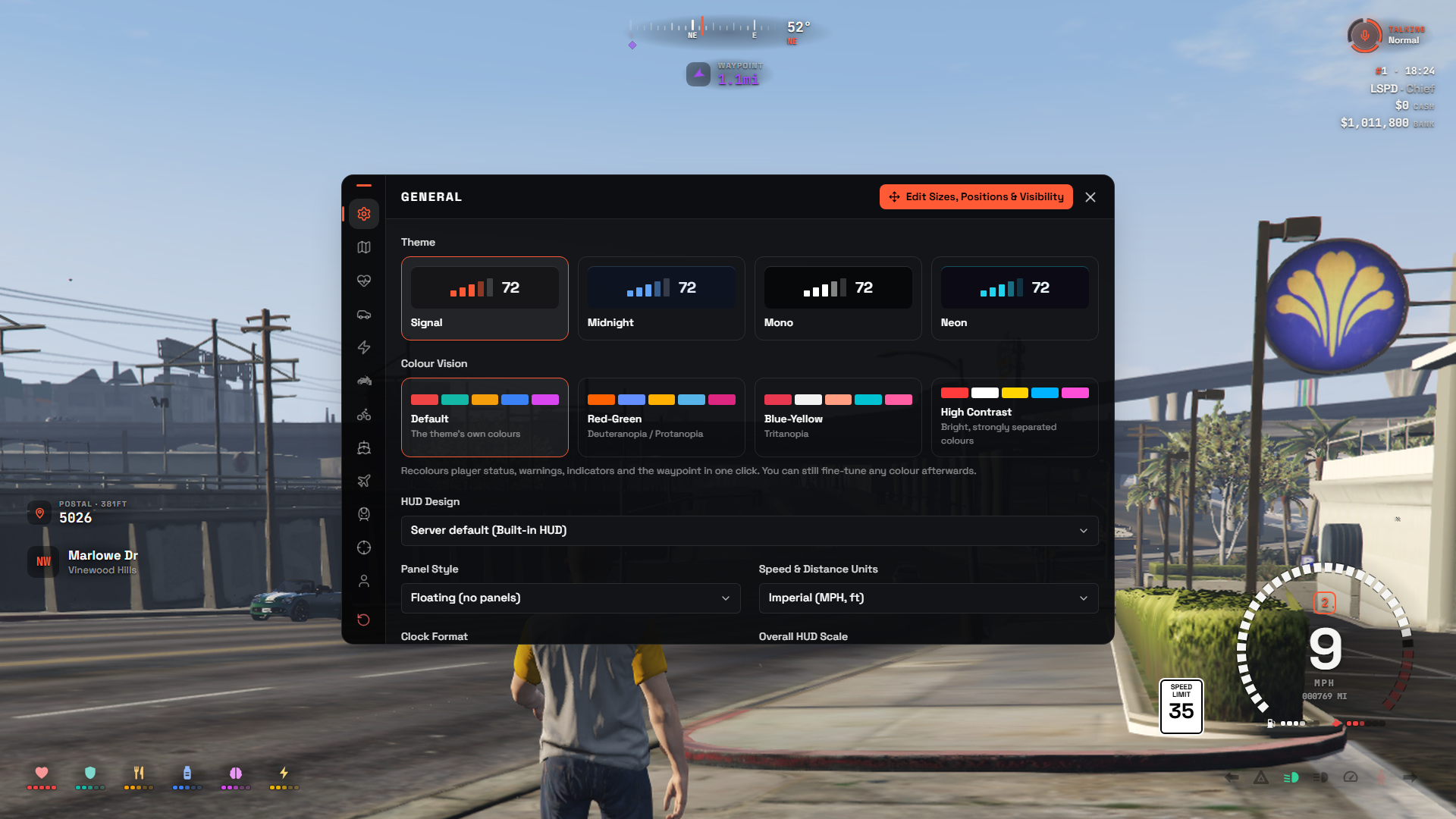
The menu has three parts:
- Tabs along the top: General, Map & Location, Player Status, Vehicles, Weapon and Info & Voice. Close the menu with the ✕ on the right.
- The page: on most tabs, a live preview sits on the left and the settings are on the right.
- Footer at the bottom: Reset HUD on the left, Edit Layout on the right.
Tabs
| Tab | What you can change |
|---|---|
| General | Theme, colour vision, HUD design, panel style (cards or floating), units, clock format and overall HUD scale. Advanced → Theme Colours changes any colour of the theme and its corner radius. Also Cinematic Mode and, for admins, the Admin section |
| Map & Location | Minimap shape and postal display (own panel or on the street line). When to show for the minimap, compass, street name, postal and waypoint: always, in a vehicle, on foot or never, with colours for the postal and waypoint. Waypoint marker on the compass. Minimap Frame |
| Player Status | Status style and icon shape. For each stat: always, when relevant or never, plus its colour. Statuses from other scripts are listed too, and Buffs & Effects (time left, buff names and which buffs to show) |
| Vehicles | A second row of tabs: Cars, Electric Cars, Motorcycles, Bicycles, Boats, Aircraft and Trains. See below |
| Weapon | Weapon style. It shows only while a weapon is out |
| Info & Voice | Server ID, clock, job, cash and bank. Server ID style (#12, ID 12 or a badge), money format ($1,250,000 or $1.25M) and icons instead of the cash / bank words. Mic style (range ring, range bars, pulse dot or minimal), character headshot, talking / range text and radio channel |
Vehicles remembers the last vehicle tab you used.
| Vehicle tab | What you can change |
|---|---|
| Cars | Speedometer style, speed limit sign and flashing when speeding, indicators & lights inside the dial, indicator sounds and seatbelt sounds. The seatbelt warning is a soft chime after 15 seconds unbuckled, then every 15 seconds |
| Electric Cars | The speedometer used in electric cars: one of the 8 EV styles, or "Same as car" |
| Motorcycles | "Same as car", Lean or any speedometer, and the helmet warning |
| Bicycles / Aircraft / Trains | The display used for each one |
| Boats | Helm or any speedometer, and speed in knots (Helm only) |
🎨 Picking a style
Pages with a style (Player Status, every vehicle tab and Weapon) show it two ways:
- The arrows under the preview step through the styles one by one.
- The Style list on the right shows every style at once. Click one to pick it.
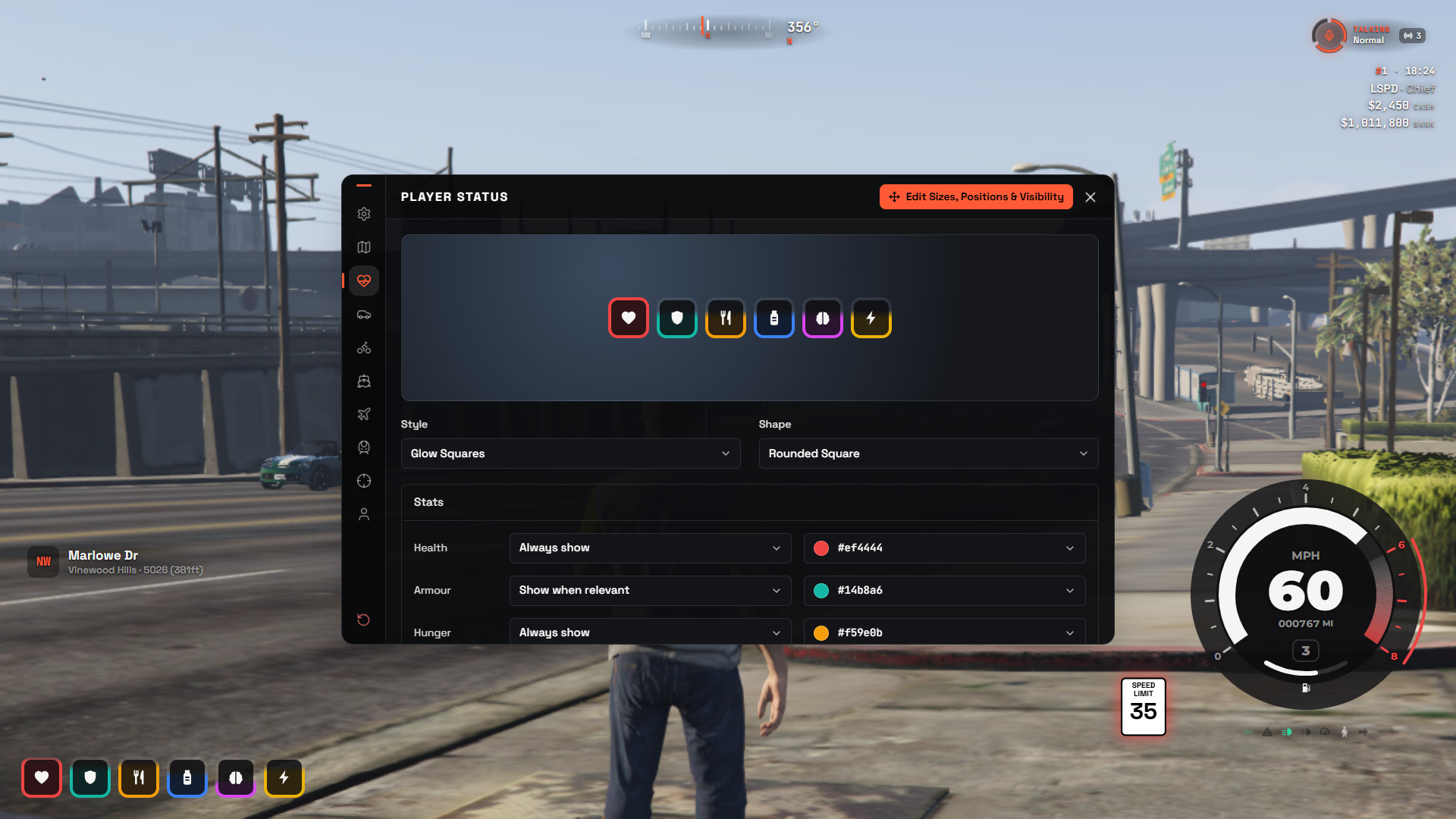
Both lists include the built-in styles and any custom designs the server has published, marked (custom).
- Picking a custom design switches your HUD to it.
- Picking a built-in style switches back to the built-in HUD.
You can also choose a design in General → HUD Design:
| Choice | |
|---|---|
| Server default | Whatever design the server has set as default (or the built-in HUD if none) |
| Built-in HUD | No custom design |
| A design name | That design |
See all built-in styles in Styles.
Options the server has locked show a 🔒 and "Set by the server". See Configuration → Switchable options.
👁️ Colour vision
General → Colour Vision recolours player status, warnings, indicators and the waypoint in one click:
| Preset | For |
|---|---|
| Default | The theme's own colours |
| Red-Green | Deuteranopia / protanopia |
| Blue-Yellow | Tritanopia |
| High Contrast | Bright, strongly separated colours |
Every colour can still be changed afterwards (Player Status for stats, General → Advanced → Theme Colours for the theme). Reset colours to theme undoes your theme colour changes.
🗺️ Map, postal & waypoint
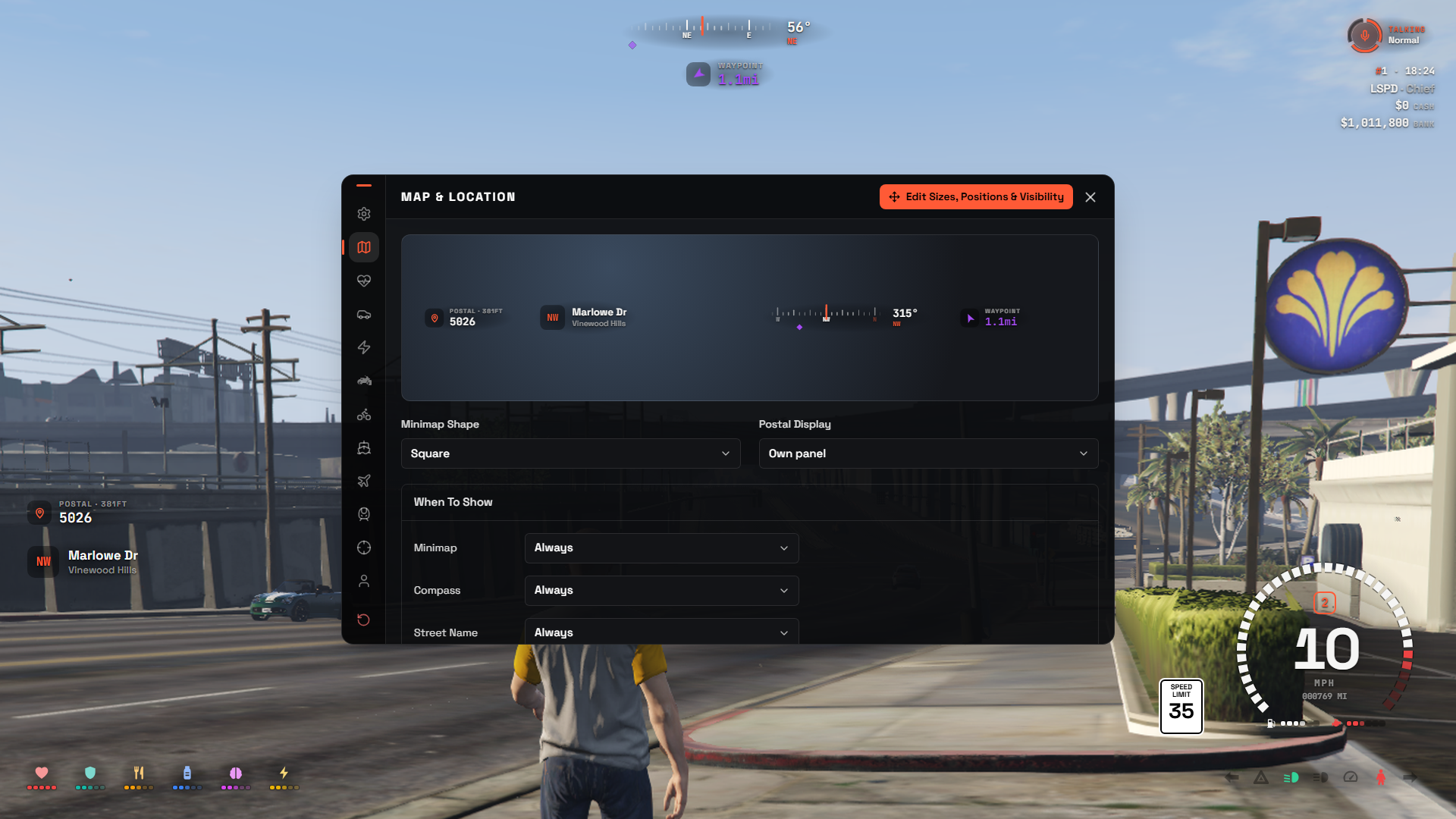
- The postal shows the nearest postal code and how far away it is, on its own panel or at the end of the street name line.
- The waypoint shows the distance to your map waypoint, and only appears while one is set. Its colour also recolours the GPS route and the waypoint blip.
- Type
/postal 7208(or/p 7208) to set a waypoint on a postal, and/postalon its own to clear it. - Minimap Frame adds an outline (Off to 6 px, any colour) and a drop shadow or glow around the minimap. It sits outside the map, so the map itself is never covered. Open Edit Layout to see it on the map.
🛠️ Admin
Admins see an Admin section at the bottom of General:
- HUD Builder → Open builder opens the HUD Builder.
- Server Default → Save as default makes your current settings and layout the starting HUD for players who haven't customised theirs. Clear removes it.
Config.Optionslocks still win.
↩️ Reset HUD
Click Reset HUD in the footer, then Yes, reset. Every setting, colour and the layout go back to the server default. Cancel keeps everything as it is.
✋ Edit Layout
Click Edit Layout in the /hud footer, or type /hudedit.
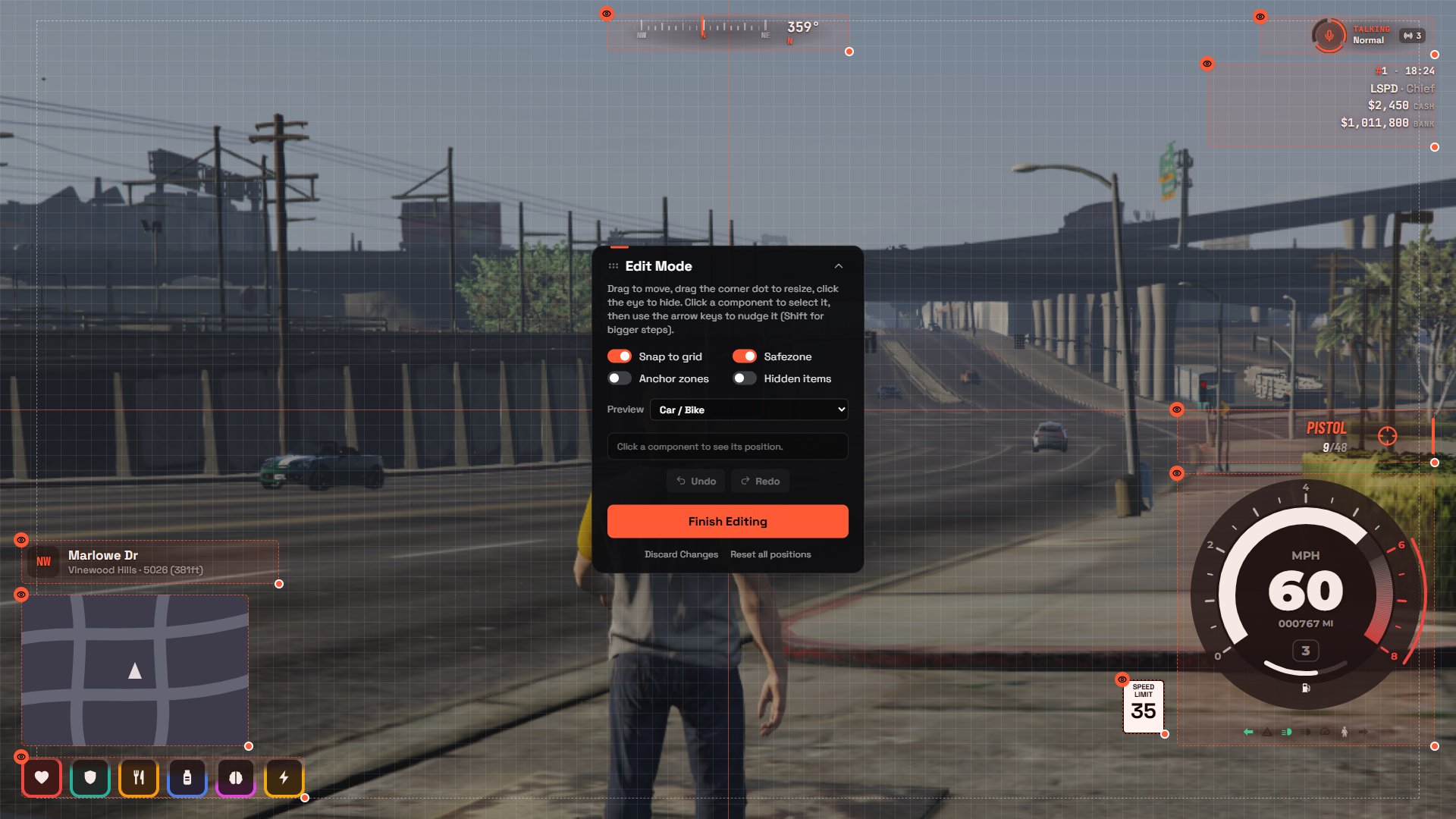
The whole screen becomes the editor, with a slim toolbar at the top.
Moving parts
- Drag a part to move it.
- Drag the L bracket on its bottom right corner to resize it (35% to 250%).
- Hover a part to see its name tag with its size. Click the eye on the tag to hide or show it.
- Click a part to select it. The tag stays open and also shows its position and a reset button that puts just that part back.
- With a part selected, use the arrow keys to nudge it (Shift for bigger steps).
- Click an empty spot to deselect.
The minimap follows its box exactly, wherever you put it.
Toolbar
| Button | |
|---|---|
| Preview | Lay out the HUD for On foot, Car / Bike, Boat, Aircraft, Bicycle or Train. Parts set to show only in vehicles or only on foot appear in the matching preview |
| 🧲 Snap to grid | Snaps moves and sizes to the grid |
| Safezone | Shows the screen's safe area as a dashed box |
| Anchor zones | Splits the screen into the 9 zones parts anchor to (top left to bottom right) |
| 👁️ Hidden items | Shows hidden parts faded, so you can find and show them again |
| Undo / Redo | Also Ctrl+Z / Ctrl+Y |
| Reset all positions | Puts every part back where the server default has it |
| Move toolbar | Docks the toolbar to the bottom (or back to the top) if it covers something |
| ? | A short help card |
| Discard | Leaves and throws away every change made since you opened Edit Layout |
| Done | Leaves and keeps your changes. Esc does the same |
Hover any toolbar button to see its name. The snap, safezone, anchor, hidden items and toolbar position choices are remembered.
If you opened Edit Layout from /hud, Done and Discard take you back to the menu.
🎬 Cinematic mode
Hides the HUD, the minimap and GTA's own HUD, perfect for screenshots, videos and roleplay scenes.
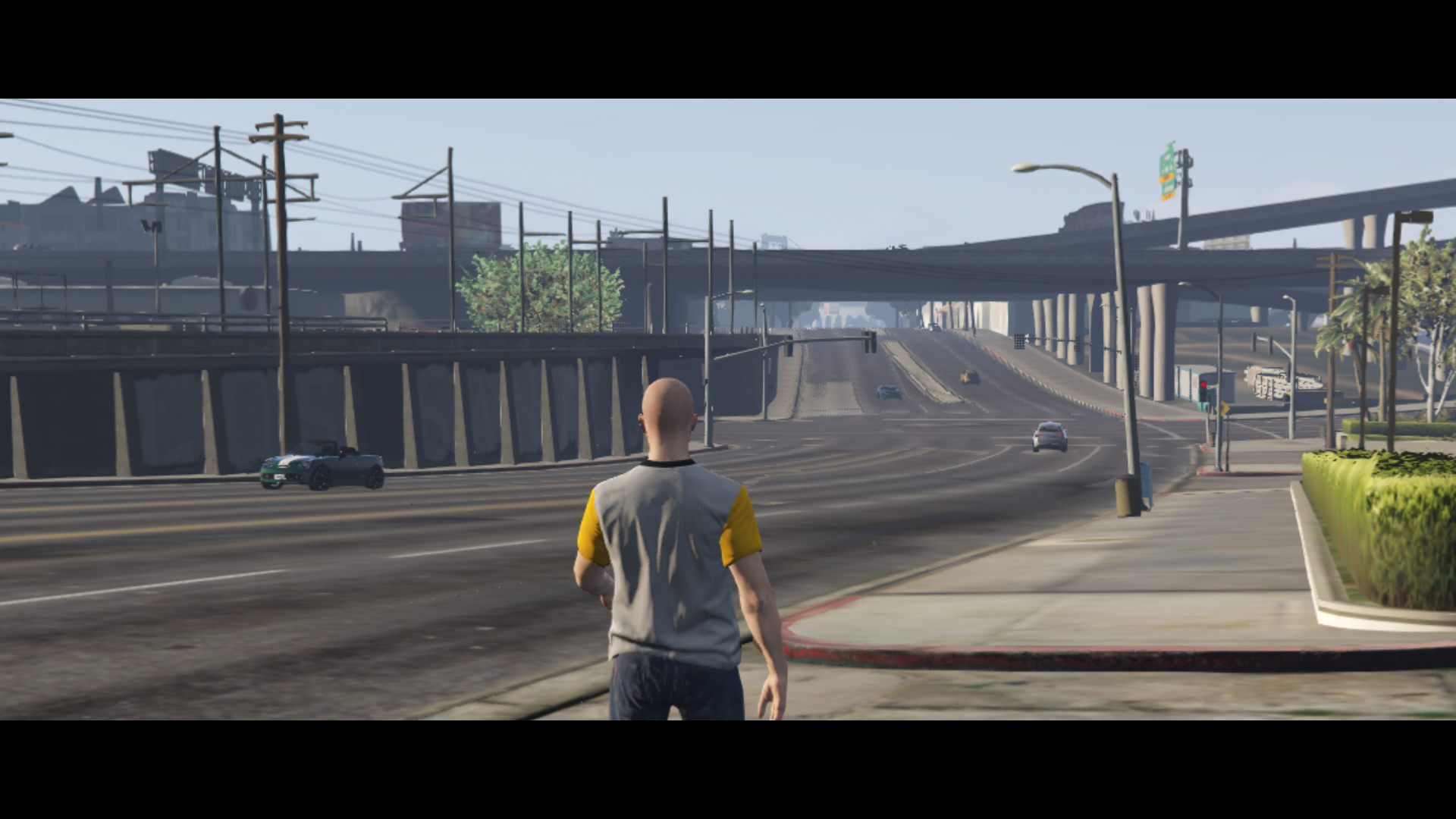
- Type
/cinematicto turn it on, and again to turn it off. - Or bind a key in GTA Settings → Key Bindings → FiveM → "HUD: Toggle cinematic mode".
- Or press Start cinematic mode in
/hud→ General.
In /hud → General → Cinematic Mode you can turn the black bars (letterbox) on or off and choose their size.
Opening /hud or Edit Layout automatically leaves cinematic mode.
🚘 Vehicle controls
Open and close doors, the hood and trunk, roll windows up and down, switch seats and toggle the engine, right on your car.
- Press F6 or type
/vehcontrolwhile in a vehicle. - The camera rises above your car and looks straight down on it. Rings appear on every door, window, the hood, the trunk and each seat.
- Click a ring to open or close that part. You see the real door swing open, and everyone around you sees it too.
- Click a free seat to move into it (only while nearly stopped).
- The bar at the bottom has All windows, the engine button and, on convertibles, the Roof.
- Press Esc, F6 or the ✕ to go back.
| Driver | Passengers | |
|---|---|---|
| Doors & windows | All of them | Their own (server can change this) |
| Hood & trunk | ✅ | Only if the server allows it |
| Engine & roof | ✅ | ❌ |
| Seats | ✅ | ✅ |
The key can be changed in GTA Settings → Key Bindings → FiveM → "HUD: Vehicle controls", and the same key also closes the menu. It doesn't open on motorcycles, bicycles or trains.
🚗 Driving
| Key | |
|---|---|
| ← / → | Left / right indicator, cancels itself after the turn |
| ↑ | Hazard lights |
| B | Seatbelt (built-in seatbelt only) |
| Y | Cruise control (built-in cruise control only) |
All keys can be changed in GTA Settings → Key Bindings → FiveM. Sounds for indicators, the seatbelt warning and buckling can be turned off in /hud → Cars (helmet warning: Motorcycles).