
Data & Behaviour
📊 What a part can show
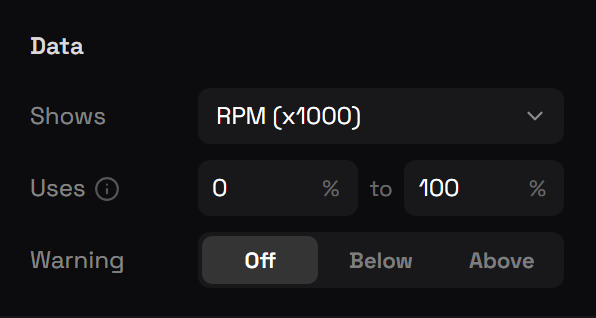
Pick it in the right panel under Data → Shows.
| Group | Data |
|---|---|
| 🚗 Vehicle | Speed, RPM (x1000), Gear, Fuel, Engine health, Body health, Odometer, Throttle, Brake, Speed limit, Engine running, Seatbelt on, Seatbelt off (warning), Headlights, High beam, Left indicator, Right indicator, Cruise control, Engine damaged, Electric |
| ⚡ Electric | Battery, Low battery, Range left, Power (kW, regen negative), Power used, Regen, Regenerating, Drive mode (P R N D), In P / In R / In N / In D |
| ✈️ Aircraft | Altitude, Vertical speed |
| 🏍️ Motorcycle | Lean angle, Wheelie, Helmet on, No helmet (warning) |
| 🚤 Boat | Speed (knots), Depth under boat, Dive depth (submarine), Anchored |
| 🧍 Player | Health, Armour, Hunger, Thirst, Stress, Stamina, Oxygen, Underwater, In a vehicle, Server ID, Job, Cash, Bank, Cash (short, $1.2M), Bank (short, $1.2M), Clock |
| 🎙️ Voice | Talking, Talking on radio, On a radio channel, Voice range, Voice range name, Radio channel |
| 📍 Location | Street, Crossing street, Area, Direction, Postal, Heading, Waypoint set, Waypoint distance |
| 🔫 Weapon | Armed, Weapon name, Ammo in clip, Reserve ammo, Ammo (clip / reserve), Weapon image |
| ✨ Scripts | Statuses and buffs other resources register: value, active, text, time left, stacks. See Custom Statuses & Buffs |
Speed, altitude, odometer, range and distances follow the player's units (mph / km/h). Numbers from 0 to 100 come with a % unit.
⚡ Electric data
| Data | |
|---|---|
| Battery | 0–100%, the vehicle's fuel level |
| Range left | Battery × Config.EvRangeKm, in mi or km |
| Power (kW, regen negative) | From −120 (full regen) to +300 kW. As text it shows a sign, e.g. +84 / −32. On a needle, zero sits a little over a quarter of the way along |
| Power used / Regen | 0–100% each, one side at a time, bind an arc to Power used and a reversed arc to Regen for a centre-zero power meter |
| Regenerating | On while braking or coasting at speed, good for turning text green |
| Drive mode | P, R, N or D as text; In P / R / N / D are switches for lighting up one letter each |
Text formats
A Text part bound to data uses a format:
| Format | Shows |
|---|---|
{value} | 64 |
{value} {unit} | 64 MPH |
FUEL {value}{unit} | FUEL 54% |
Set Unit size to draw the unit smaller on the same baseline, like 136 km/h.
🚨 Warnings
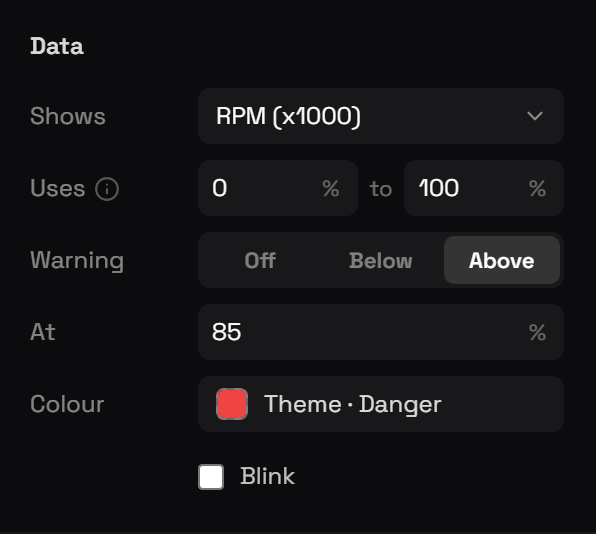
For number data, Warning changes the part's colour below or above a percentage, and can make it blink, low fuel, high RPM, low health.
🟥 Red zones
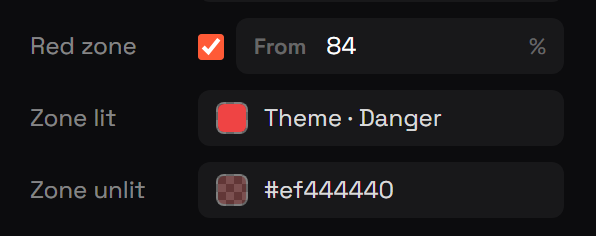
Bars and arcs can have a red zone from a percentage onwards, with its own lit and unlit colour, like a redline. On segmented gauges only the segments inside the zone change.
👁️ Show while
Any part, or a whole widget, can show only while something is true: armed, in a vehicle, seatbelt off, armour above 0, and so on.
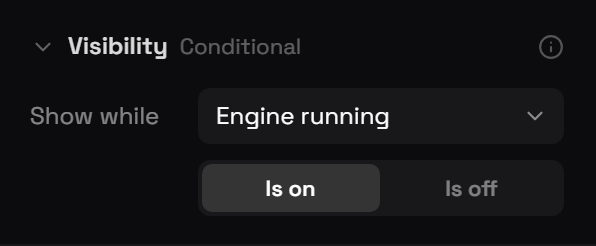
Parts hidden by a condition are drawn faintly in the builder so you can still select and edit them.
✂️ Value window ("Uses")
A part can use just a slice of a value, for example RPM from 0 to 30%. Chain several parts (30–60%, 60–100%) to build one gauge out of separate pieces that fill one after another.
🧭 Where a widget shows
In the widget settings, Shows in picks the vehicle types, on foot, car, motorbike, boat, aircraft, bicycle, train, or everywhere.
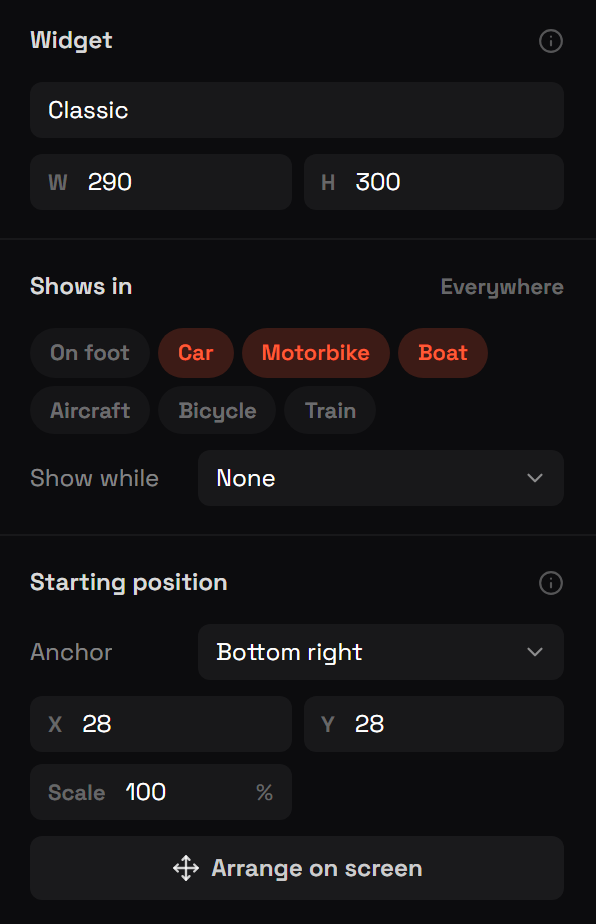
For a widget that should only appear in electric cars, set Shows in → Car and Show while → Electric → Is on. Use Is off on your normal speedometer widget so the two never show together.