
Character Select
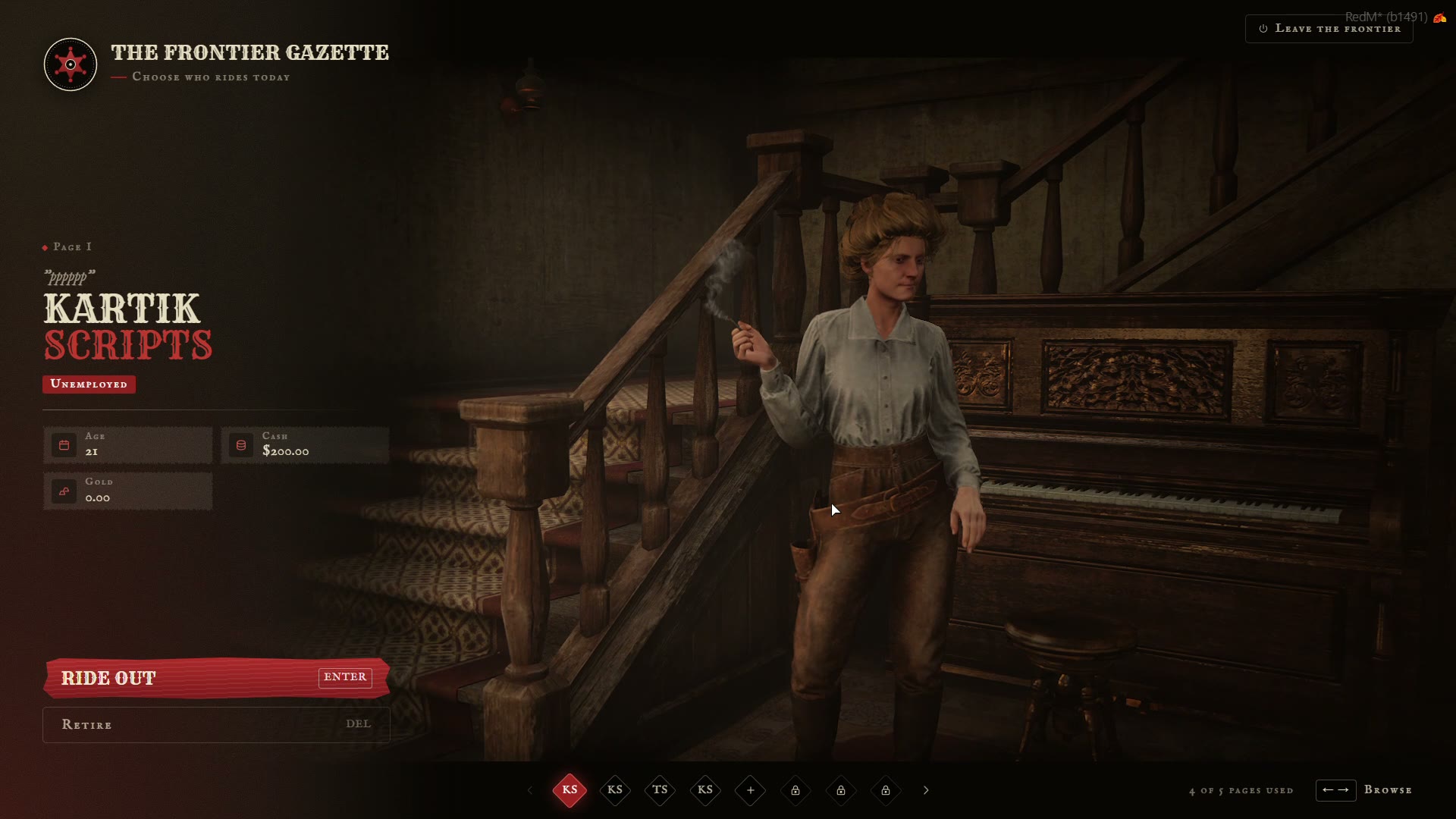
Your characters don't sit in a list. They wait in a living scene, each in their own spot, with props, horses, idle animations, music and ambience.
🎥 Browsing
- ← / → or the slot bar at the bottom moves between pages. The camera glides to the selected character.
- The selected character turns their head to the camera (
Config.Reaction.lookAtCamera). You can also play an animation once on select (Config.Reaction.animation). - A slow push-in keeps the shot alive (
Config.Camera.drift). - Enter (Ride out) plays the selected character.
🪪 The character card
Each card shows the character's name, nickname, job, age, cash, and bank and gold when they're on (Config.UI.showBank, Config.UI.showGold). The currency sign comes from Config.UI.currency.
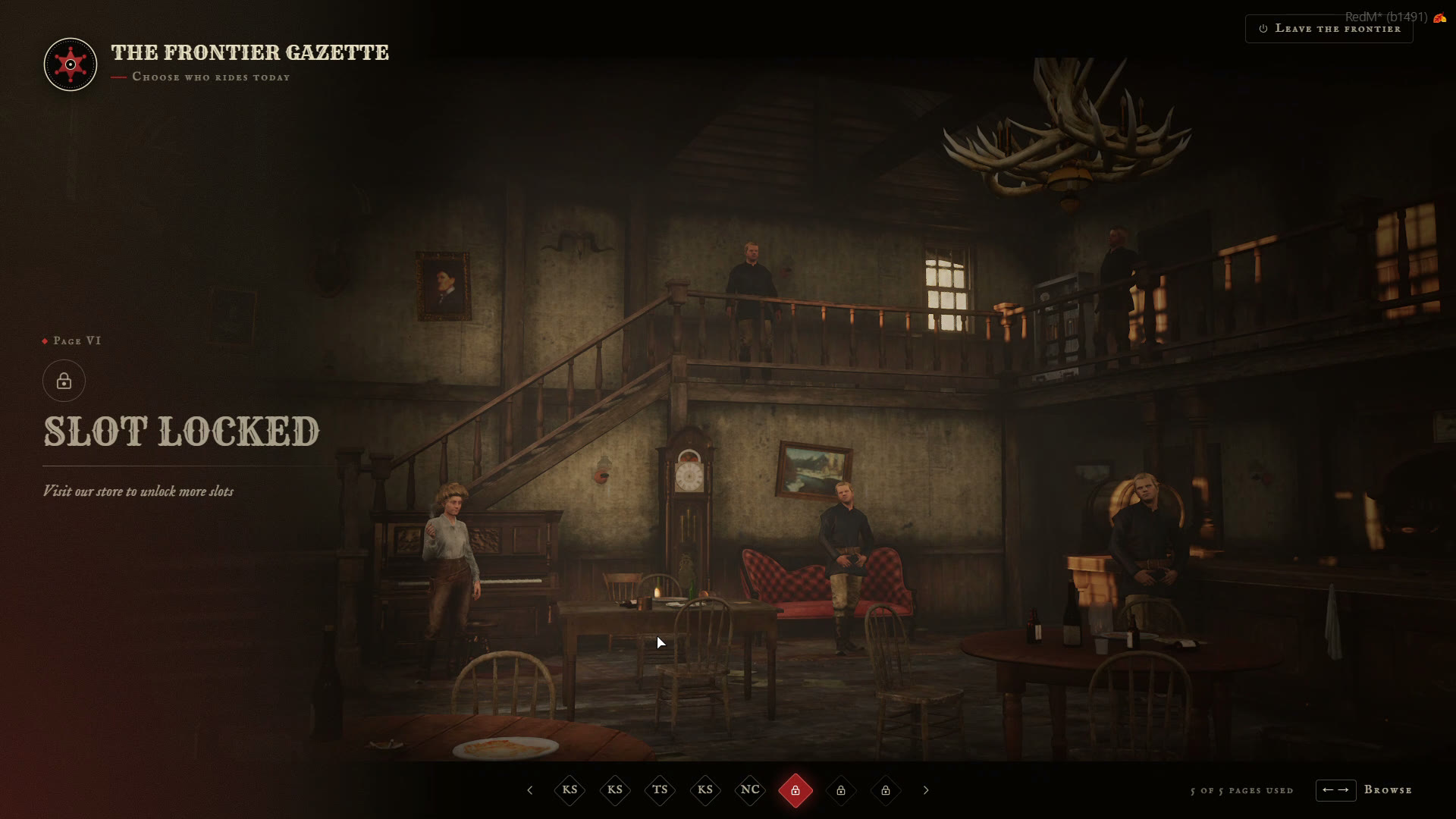
📄 Empty and locked slots
- An empty slot is "A blank page". Press Begin to make a new character.
- A locked slot shows up to
Config.Slots.maxwhenConfig.Slots.showLocked = true, with yourlockTextand, if Tebex is on, the redeem box. See Character Slots.
🪦 Retiring a character
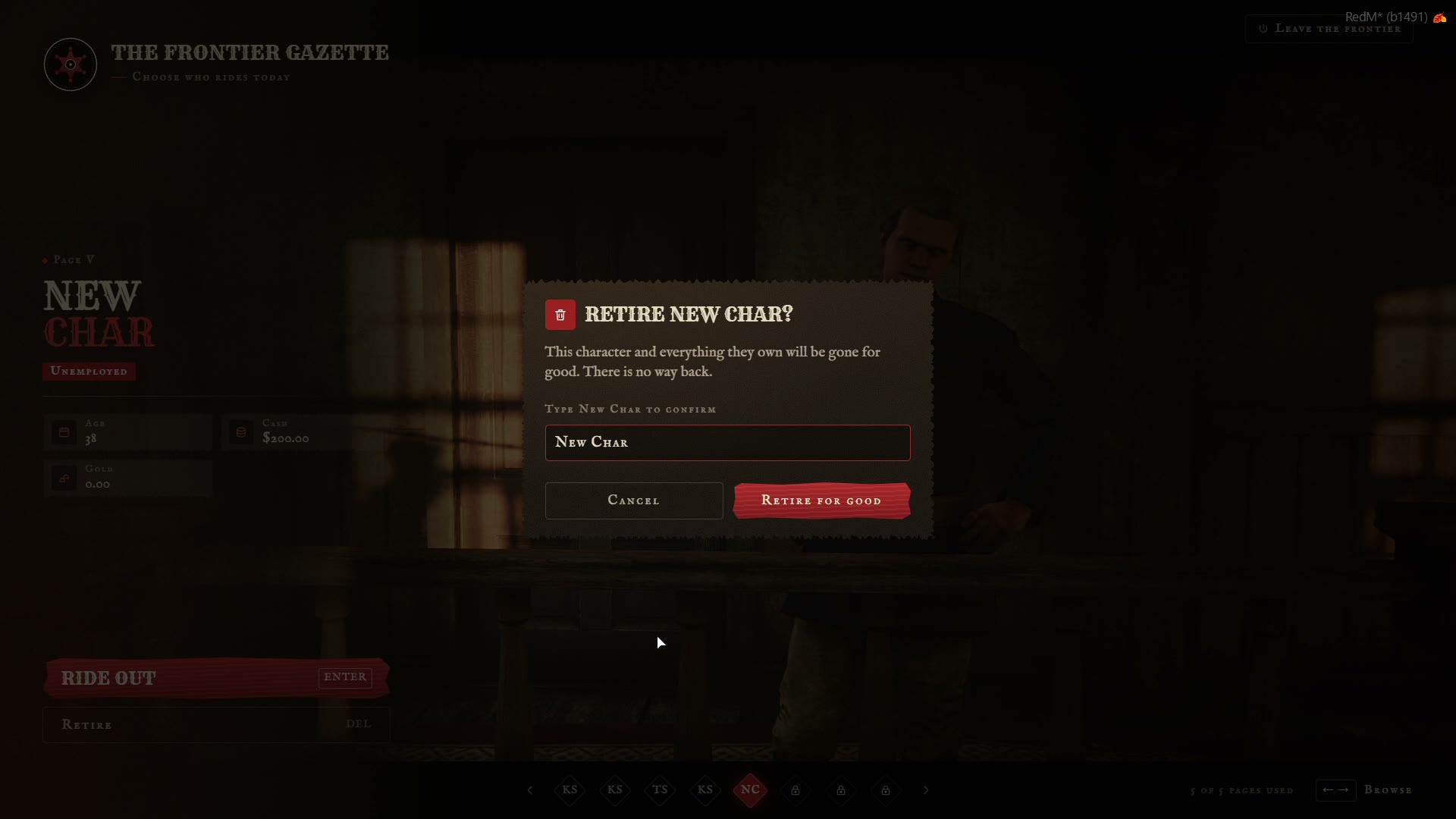
Retire (or Del) deletes a character. With Config.Delete.typeName = true, the player types the character's name to confirm, so nobody deletes one by accident. In the Paper theme the confirmation is a telegram.
Set Config.Delete.enabled = false to turn deleting off for players. Admins can still delete from the Admin Panel.
🎚️ Look and sound
| Option | |
|---|---|
Config.UI.letterbox | Black cinematic bars top and bottom |
Config.UI.vignette | Darkened screen edges |
Config.UI.music | Default music event. Scenes can set their own, '' turns it off |
Config.Audio | Volume, scene ambience, and your own sounds for browsing (switch) and confirming (confirm) from the audio/ folder |
Config.Camera | Distance, height, field of view and blend speed of the character camera |
Hide your own HUD while the menu is open with CustomToggleHud(show) in bridge/custom/client/hud.lua.