
Admin Panel
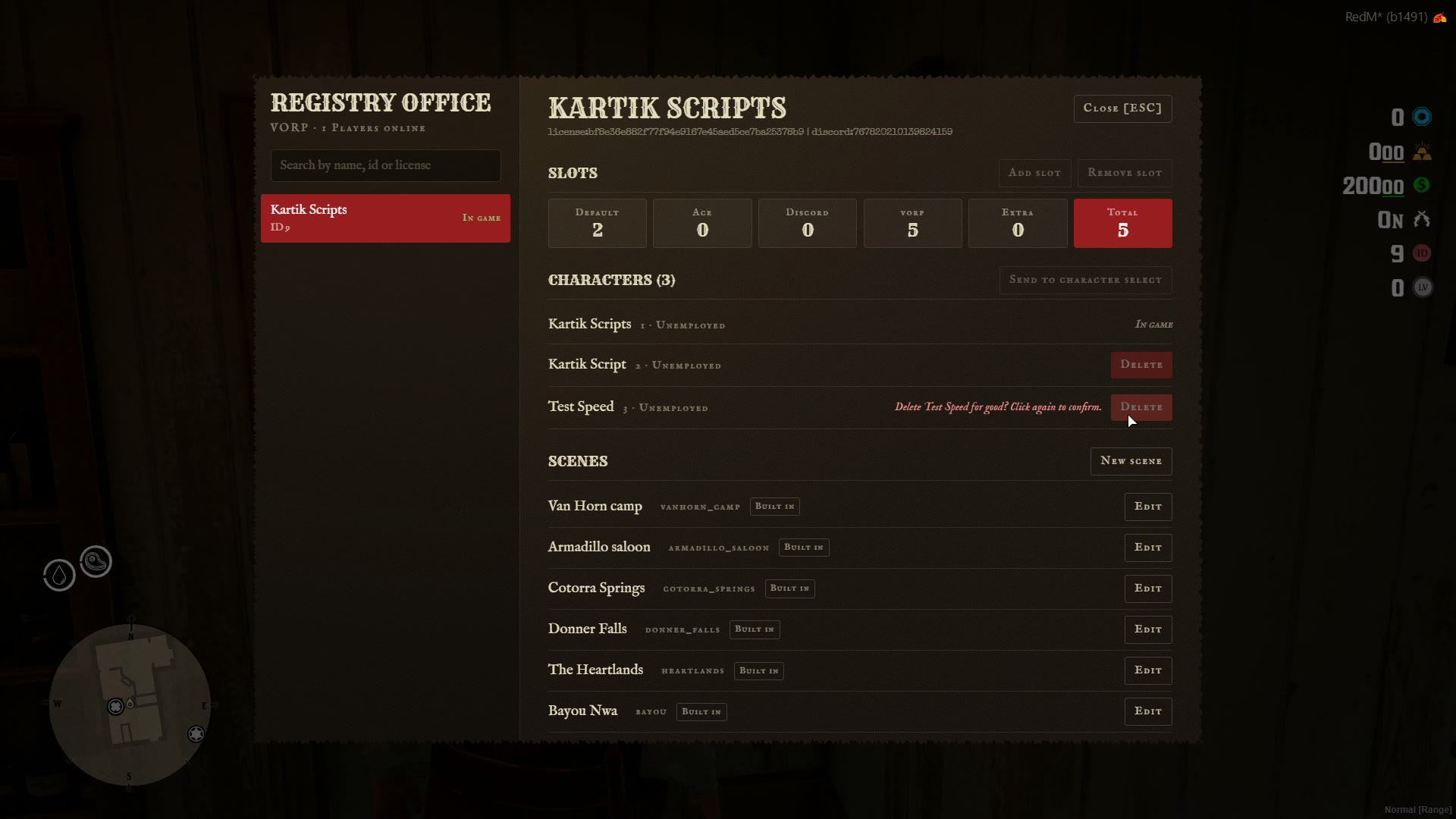
/charadmin opens the Registry Office. It needs the ace in Config.Admin.ace (command by default).
🧑🤝🧑 Players
Search players online by name, server id or license. For each player:
- Slots: the breakdown of every source (default, ace, Discord, VORP, extra) and the total. Add slot and Remove slot change their extra slots.
- Characters: every character on the account. Delete removes one (click again to confirm).
- Send to character select sends the player back to the menu.
- Refresh Discord roles picks up role changes straight away.
🛒 Tebex purchases
Every purchase, redeem and chargeback, and Grant package to give one by hand. See Tebex.
🏜️ Scenes
Every scene, the included ones and the ones you built. New scene, Edit, Delete, and Reset for an included scene you changed. See Scene Creator.
👁️ Previews
Pick a scene and preview it without touching any data:
- Preview character select
- Preview scene
- Play intro
- Play arrival
/charpreview also opens the select screen while you play. Nothing is saved, and Esc brings you back.