
Character Creator
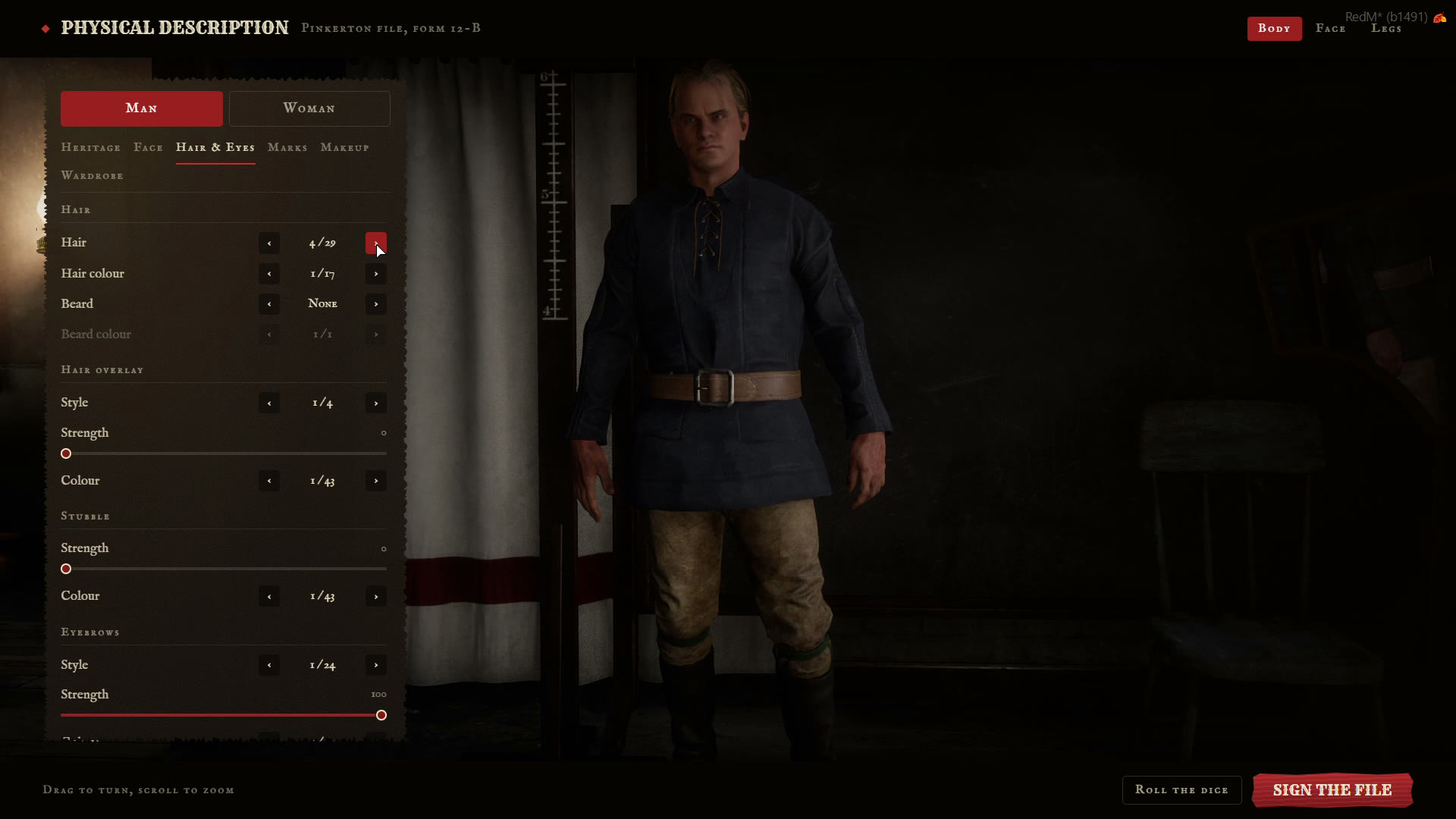
The built-in creator works on RSG and VORP, in the Red Dead Online creator room.
🧍 Tabs
| Tab | |
|---|---|
| Heritage | Man or woman, head, skin tone, body, waist, legs, build and height |
| Face | Head and neck, eyes, ears, cheeks, jaw and chin, nose, mouth and lips |
| Hair & Eyes | Hair and colour, beard and colour, stubble, hair bow, eyebrows, eye colour and teeth |
| Marks | Scars, ageing, freckles, moles and spots (Config.Looks.marks) |
| Makeup | Eye shadow, blush, lipstick and eyeliner (Config.Looks.makeup) |
| Wardrobe | Clothing categories from Config.Looks.wardrobe |
- Drag to turn the character, scroll to zoom.
- The camera switches between body, face and legs framing (
Config.Looks.cameras). - Roll the dice gives a random start (
Config.Looks.randomize). - Sign the file asks "Is this you?" before saving. After that, only a barber or a tailor can change how they look.
💾 Saved in your framework's format
Looks are saved the way RSG or VORP saves them, so barbers, clothing shops and other appearance scripts keep working.
👕 Wardrobe and starter outfit
The wardrobe tab shows the categories in Config.Looks.wardrobe in that order, one list for RSG and one for VORP. An empty list hides the tab.
New characters start in the outfit from Config.Looks.starter:
starter = {
    rsg = {
        male   = { shirts_full = { 1, 1 }, pants = { 1, 1 }, boots = { 1, 1 } },
        female = { shirts_full = { 1, 1 }, skirts = { 1, 1 }, boots = { 1, 1 } },
    },
    ...
}
Each entry is category = { model, texture }. Leave it out to start in underclothes.
🔁 rsg-appearance instead (RSG)
Set Config.Creator.builtin = false to open rsg-appearance's creator instead. With Config.Creator.registration = true, the registry document is still filled in first. VORP always uses the built-in creator.