
Admin Dashboard
Garages V2 provides server administrators and authorized staff with a powerful, real-time management dashboard accessible in-game via the /garageadmin command.
📊 Dashboard Overview
The Admin Dashboard provides real-time analytics across the entire vehicle database:
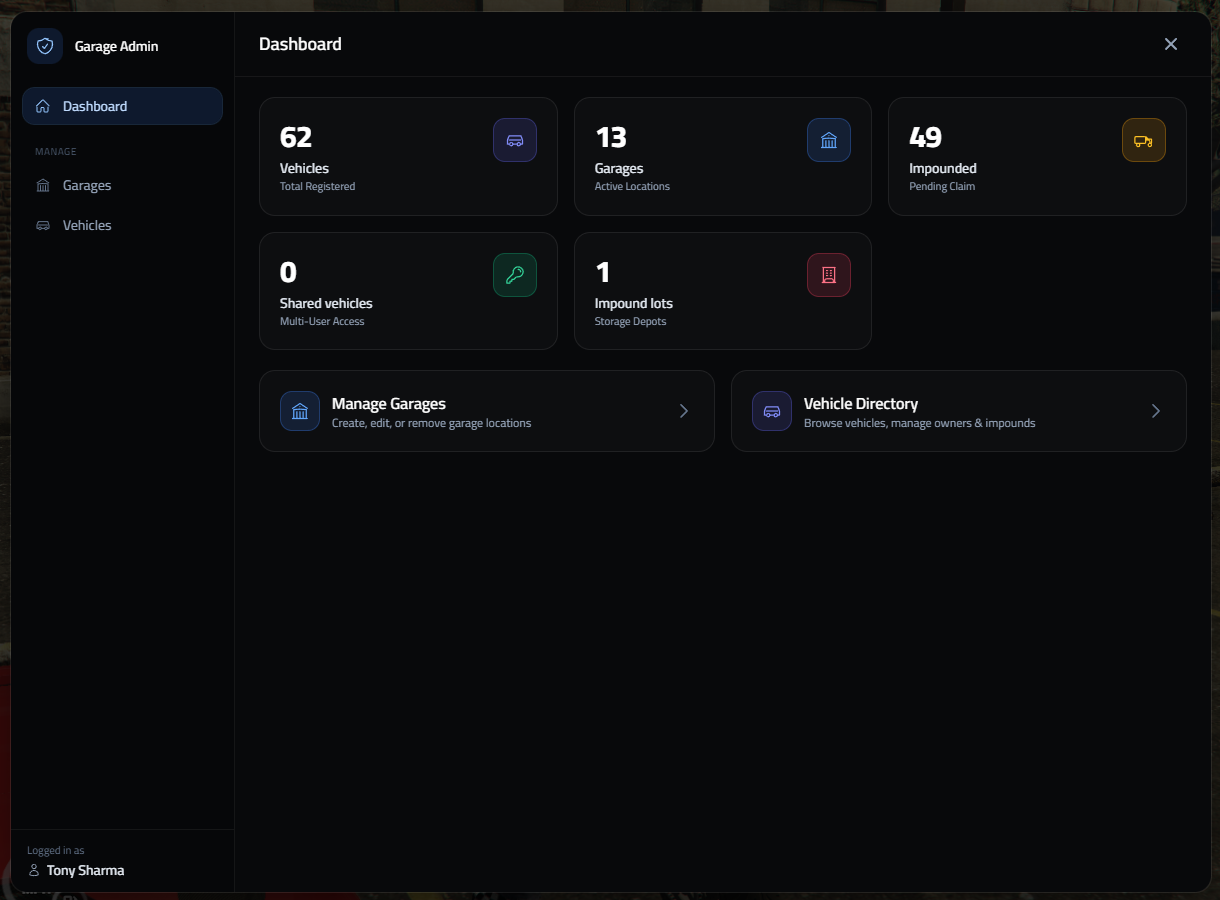
Key Dashboard Metrics:
- Total Registered Vehicles: Complete count of all player-owned and job vehicles in the server database.
- Active Garage Locations: Total number of active public, private, job, and gang garages.
- Impounded Vehicles: Total vehicles currently sitting in impound lots pending claim or release.
- Shared Vehicles: Number of vehicles configured with multi-user Access Groups or sub-owners.
- Impound Lots: Registered impound storage depots across the map.
🚗 Admin Vehicle Directory
The Vehicle Directory grants administrators full control over every vehicle registered on the server:
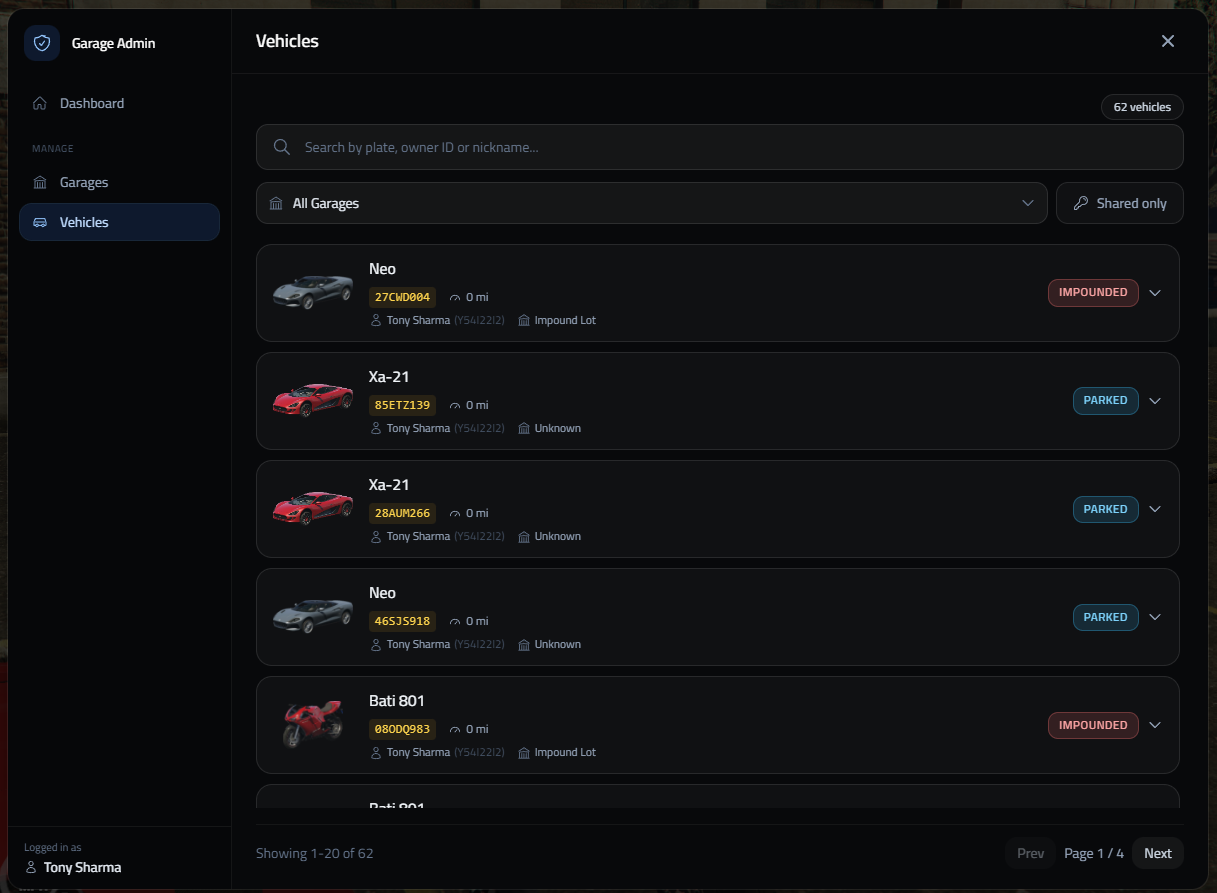
Vehicle Directory Capabilities:
- Search System: Search vehicles instantly by license plate, owner Citizen ID, or vehicle nickname.
- Garage Filtering: Filter vehicles by specific garage locations or view "Shared only" vehicles.
- Live Status Tracking: View vehicle status badges (
STORED,OUT,PARKED,IMPOUNDED). - Owner & Mileage Insights: Inspect owner names, Citizen IDs, and total driven mileage per vehicle.
- Pagination: Smooth server-side pagination supporting high vehicle volumes (e.g. showing 1–20 of 62+ vehicles).
💼 Job Fleet
The Job Fleet section manages every job's vehicles without commands or config edits:
- Spawn List: spawnable vehicles per job with minimum grade, category tab, livery, extras and performance upgrades. Can be copied from the vehicle you are sitting in.
- Owned Vehicles: add the vehicle you are sitting in to a job's fleet, move job vehicles between the job's garages, or delete them.
- Registered Keeper: the Citizen ID job vehicles are filed under.
See Job Fleet & Category Management for the full guide.