
Dynamic Shop Manager
The Shop Manager (/shopmanager, titled Shop Studio in-game) is the admin hub for kartik-clothing. From one window you place and edit every clothing store, barber, tattoo parlor, wardrobe, ped changer and job store, and reach the Tebex, ped, design, blacklist and theme tools.
🧭 Sidebar
| Page | What it is for |
|---|---|
| Shop Overview | Stats and a city map of every registered shop. |
| Shop Directory | Every shop as a list, edit, teleport to, or delete one. |
| Create New Shop | The shop form. |
| Credits & Tebex | Tebex status, package → credit mapping, player balances, credit activity. See Tebex Monetization & Design Credits. |
| Peds & Locking | Lock peds behind Tebex packages and grant / revoke peds per player. See Ped Catalog & Unlocks. |
| Design Queue | Review player designs, Approve & Bake or Reject with a reason. See Custom Garment Designer Studio. |
| Blacklist Import | Paste an illenium-appearance Config.Blacklist, check it, and import it as garment locks, with undo. See Blacklist Import (illenium). |
| Interface Theme | Live, per-admin theme preview that generates a Config.Theme block. See Interface Theming. |
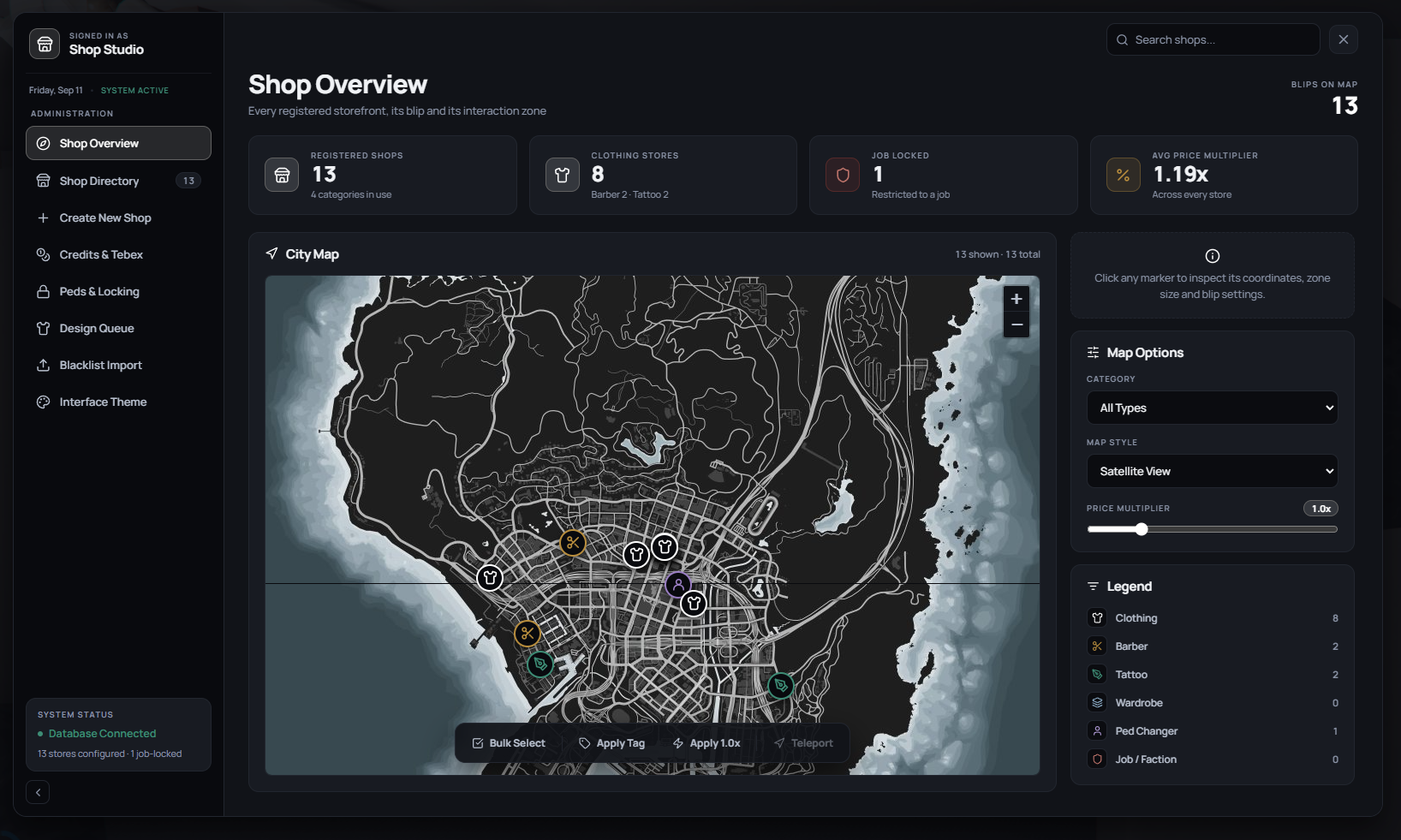
🗺️ Shop Overview
- Stat cards: registered shops (and how many shop types are in use), clothing stores, job-locked stores, and the average price multiplier. Blips on map counts shops with a visible blip.
- City Map: every shop as a marker, iconed by type. Click a marker to inspect its coordinates, zone size, blip settings and price multiplier, with Teleport and Delete.
- Map Options: filter markers by Category (shop type), switch Map Style between Satellite View, Atlas Map and Minimal Print, and set the Price Multiplier slider (
0.5x–3.0x) used by the toolbar. - Legend: the shop types with a count of each.
- Toolbar
- Bulk Select: click several markers to select them together.
- Apply
nx: sets the slider's price multiplier on the selected shop(s). - Teleport: takes you to the selected shop.
- Search shops: filters the map and directory by name.
🏗️ Creating & Editing a Shop
Open Create New Shop, or edit a shop from the directory or map.
| Section | Fields |
|---|---|
| Shop Details | Shop Name and Shop Category, Clothing, Barber, Tattoo, Wardrobe, Ped Changer or Job / Faction. |
| Location & Interaction Zone | Use My Position fills the coordinates from where you stand; 3D Zone Builder lets you place the interaction zone in the world. X / Y / Z and Heading can also be typed. |
| Blip, Pricing & Access | Blip Icon Sprite ID (73 clothing · 71 barber · 75 tattoo), Blip Color ID (47 cyan · 1 red · 2 green), Price Multiplier (1.0 standard · 1.5 luxury · 0.8 discount), and Required Job, leave blank for a public store. |
Press Create Shop / Save Changes. The shop is written to kc_shops and pushed to every connected player straight away, no restart.
[!NOTE] Which categories a store shows comes from its type and
shared/categories.lua. Per-store category lists are not supported yet.