
The Fire Tablet
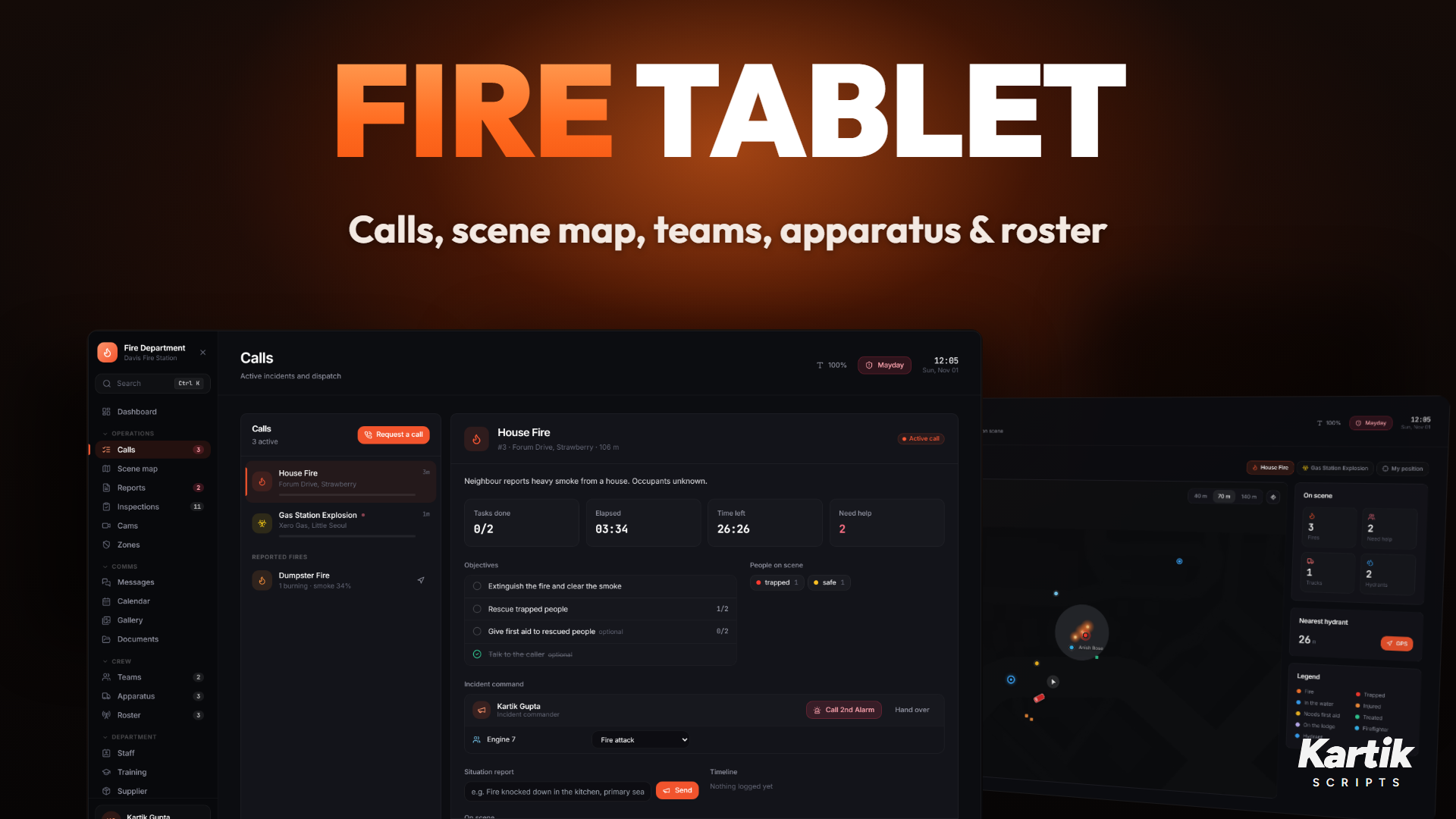
Sidebar groups fold: click a group name (Operations, Comms ...) to fold it, and its counts stay on the folded header. Open it with F6 or the fire_tablet item (Config.Tablet). Set requireItem = true to make the item necessary. Ctrl+K or / searches the tablet. The first time it opens a short tour runs. Settings (the gear, top right) shows it again, and holds the call radio switch, minigame settings and training scenes.
Pages
| Page | What it shows |
|---|---|
| Dashboard | Your status and rank, active calls, crew, apparatus, medics and quick actions |
| Calls | Every active call with objectives, people on scene, hazards and teams responding. GPS, show on map, send your team, deploy a rescue boat, take command, requests, timeline, next alarm, close in wrap-up |
| Scene map | Live tactical view of the selected call (below) |
| Teams | Teams, callsigns, team dispatch, pings, PAR checks and the BA board (Teams & Command) |
| Apparatus | Every truck on the road with water / foam, pump state, supply source, driver and GPS |
| Stations | Station readiness: each station's trucks and equipment, their condition and defects. Bosses move them between stations |
| Roster | Who is on duty, geared, on a hose or diving |
| Records | Your record and rank, the leaderboard and call history |
| Reports | Incident reports |
| Inspections | Fire inspections |
| Training | Certificates |
| Staff | Roster, hours and staff management |
| Finances | Bosses: the department account |
| Audit log | Bosses: every staff and money action |
| Cams | Helmet and dash cameras, live (below) |
| Zones | Exclusion zones drawn on the map (below) |
| Messages | Department, team, group and direct chats (below) |
| Calendar | Training, meetings and maintenance (below) |
| Gallery | Scene photos and cam snapshots (below) |
| Documents | Procedures, reports and letters, shared with other services (Department) |
| Supplier | Order equipment, delivered to the station (Department) |
| Public forms | Job applications and complaints from citizens (Department) |
| Mayday | Alert every firefighter with your position |
Dashboard
Calls
Scene map
Teams
Apparatus
Roster
Stations
Records
Reports
Inspections
Training
Staff
Finances
Audit log
Cams
Zones
Messages
Calendar
Documents
Public forms
Supplier
Scene map
A live view of the call:
- Fires and smoke, with the burning material.
- Trapped, injured and safe people.
- Hydrants, with GPS to the nearest one.
- Trucks with their tank level, crew and placed equipment.
- Rooms searched on search and rescue calls.
- Zoom: 40, 70 or 140 m.
The City view plots calls, stations, crew and trucks across the county.
Cams
Every firefighter on duty has a helmet cam and every fleet truck a dash cam (Config.Cams). Pick one on the Cams page and the tablet closes to the live feed.
- The picture breaks up as the wearer gets hurt or the truck gets damaged, and shows NO SIGNAL when they go down or the truck is wrecked.
- ← → switch to the next feed, E takes a snapshot for the gallery, BACKSPACE leaves.
- While you watch, your game streams the area around the camera (
viewRadius), so feeds work across the map. - Replay (hover a cam on the page): the last 5 minutes of where that helmet or truck went, played back at 4x. The game can't record video, so the camera flies back along the path in the world as it is now. SPACE pauses, ← → skip 15 seconds (
replayMinutes,replaySpeed).
Exclusion zones
On the Zones page, Draw a zone, click its corners on the map, name it and save (Config.Zones, grade 2 and up). Everyone on duty is told, the zone shows on the map, and NPCs and parked cars are kept out of it while someone is nearby. Remove it when the scene is clear.
Messages
Chats with the whole department, your current team, groups you make and direct messages to anyone online. Photos from the gallery can be attached. New messages ping you with a sound when the tablet is closed (Config.Chat).
Calendar
A month view with training, meetings, maintenance and events (Config.Calendar). Grade 2 and up can add, change and remove entries; everyone online is told about a new entry and reminded 15 minutes before it starts.
Gallery
Photos taken with the tablet camera (Take a photo on the Gallery page: mouse to aim, scroll to zoom, click or E to take) and cam snapshots. Click one to see it full size; your own photos (or any, for bosses) can be deleted. Needs photo uploads set up: see Configuration.
HUD and pager
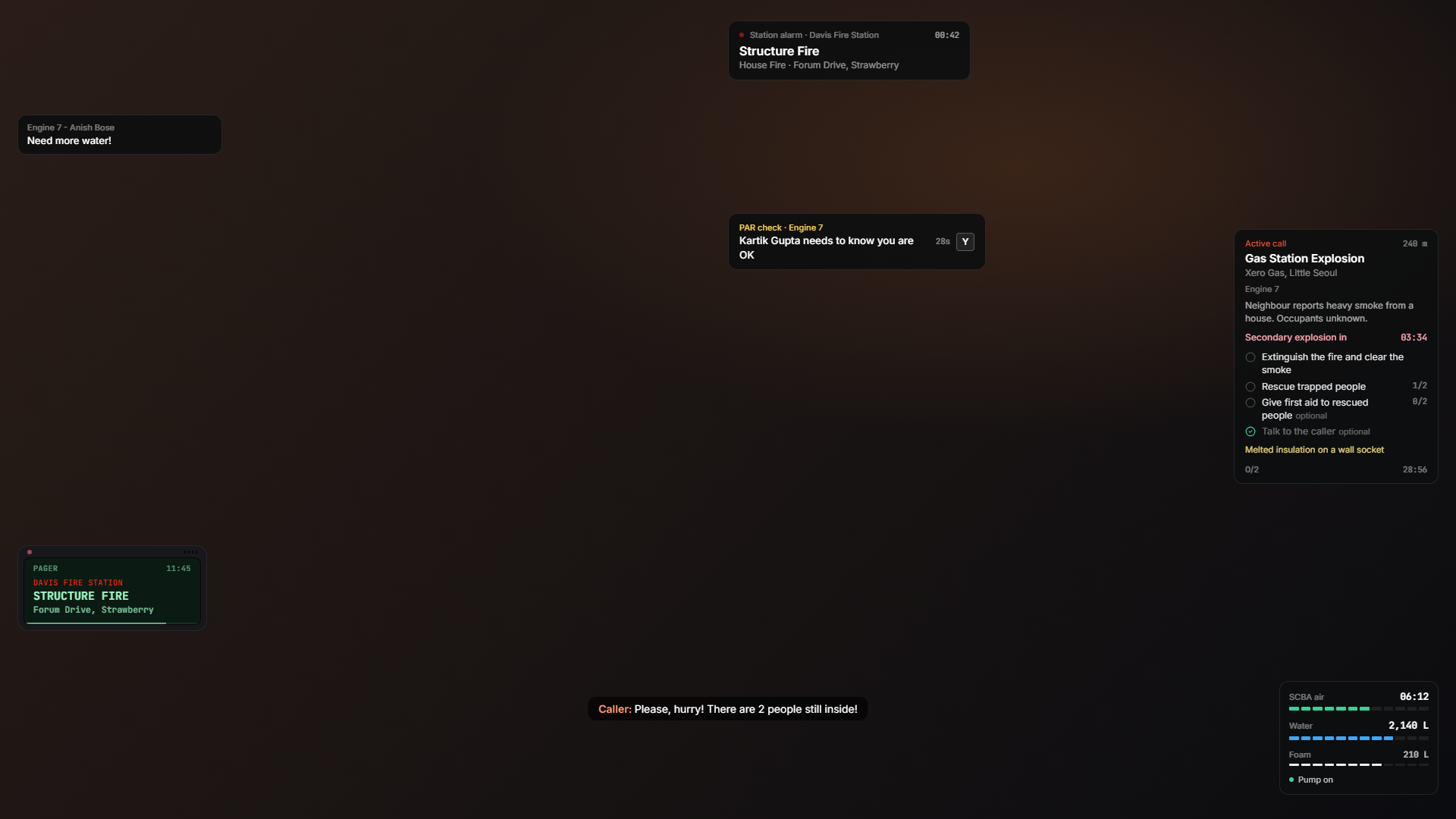
On duty you get a pager with each call, a live objective tracker on calls and, with the facepiece on, the air gauge.
Opening pages from other scripts
Kartik MDT (or any script) can open a page of the tablet. The job check still applies.
exports['kartik-firefighterjob']:OpenTabletPage('stations')
TriggerEvent('kartik-firefighterjob:client:openTabletPage', 'calls')
Pages: dashboard, calls, map, teams, apparatus, roster, reports, inspections, stations, staff, training, finances, audit, records, messages, calendar, gallery, documents, forms, shop, cams, zones.
Device frame
Config.Tablet.deviceFrame = true draws a physical tablet casing around the window. Off, it is a plain window.