
First Setup
The resource ships with the five vanilla GTA fire stations (Davis, El Burro Heights, Rockford Hills, Sandy Shores and Paleto Bay) in shared/config_stations.lua. If you use fire station MLOs, walk to them and place everything in game with /fireadmin.
1. Set up each station
Open the admin panel with /fireadmin as an admin or Chief and go to Stations. Pick a station from the list; if you are not there yet, Teleport takes you (or GPS sets a waypoint). Opened inside a station, the panel starts on that station.
Placing uses where you stand and aim, so the panel hides while you place and comes back when you press BACKSPACE.
| Option | What to do |
|---|---|
| Duty lockers | Draw the locker area: aim at the floor and press E for each corner. The corners join into a shape with walls; scroll sets how high it reaches, G undoes a corner, ENTER (or E on the first corner) saves it. X deletes the area you stand in. Inside the area firefighters get duty, gear, the personal locker and supplies. |
| Garage point | Stand where firefighters take out trucks. |
| Vehicle spawn | Sit in a truck facing out of the bay and save it. |
| Alarm lights | Place them around the bay. They flash in the call type's colour. |
| Speakers | Where the station tones and the call read-out play. |
| Alert screens | TVs that switch to the call when the station is rung. |
| Public terminals | Kiosks where citizens apply for a job or file a complaint. Optional: the station chief always takes forms too. |
| Delivery point | Where supplier orders are dropped off as crates. Optional: without one they land next to the garage point. |
| Station alarm | Ring the station with any call type to check it, then silence it. |
Each option shows how many points are placed, and can clear them again. The station list shows how much of each station's setup is done (out of 6), and whether the garage and spawn were placed in game or still use the config default. Everything is saved in the database (kfj_store) with the station id.
Don't rename a station key in Config.Stations after setting it up. Everything placed in game is stored with that id.
2. Move the station chiefs
Each station has a chief NPC at chief = vec4(...) in config_stations.lua. Talk to them for duty, gear, equipment, the station board and to request a call. Move them inside your MLOs.
Stations can also have their own vehicles, outfits and livery. Stations without them use the shared lists in Config.Garage and Config.Gear.
3. Save the turnout gear
Dress your character in the turnout uniform (EUP or your own clothing), then open /fireadmin → Outfits, name it and Save.
Do it once per gender. Saved outfits are kept in the database and are listed on the same page, where you can delete them. Outfits can also be written in Config.Gear.outfits, and the NPC firefighter model is always there as a fallback.
To show a facepiece when the SCBA mask goes on, put your EUP mask component in Config.SCBA.mask. For the harness and cylinder of the SCBA mask kit, wear your EUP tank and run /firecopykit (add the component number if it is not 5), then paste the line into Config.SCBA.kit.back. Without these the kit uses the base game yellow air tank and mask props, so it works with no add-on clothing.
4. Check the call locations
The shipped spots in Config.MissionLocations (config_missions.lua) are close, but not exact for every map. Walk each one and replace it from /fireadmin → Locations: pick the call type, give it a label and press Capture here.
This copies a ready line to your clipboard. The page also shows how many spots each call type already has. Some calls need extra fields:
| Call | Extra field |
|---|---|
| Cat rescue, person on a ledge | target = vec3(...): the roof or ledge spot |
| Water rescue, vehicle in water, boat fire | water = true and coords on the water |
| House and nightclub fires | door = vec3(...): the front door that can be locked |
Pull stations work the same way from the Pull station card on that page (Config.PullStations.locations).
5. Fire inspections
Config.Inspections.sites lists 16 businesses with store interior coordinates. Move them to your MLOs if you have different interiors.
6. Try it
- Clock in at the lockers and gear up.
- Start a call from
/fireadmin→ Calls & fires. The closest crewed station rings. - Take out an engine, drive to the call and open the pump panel at the rear of the truck.
Settings in game
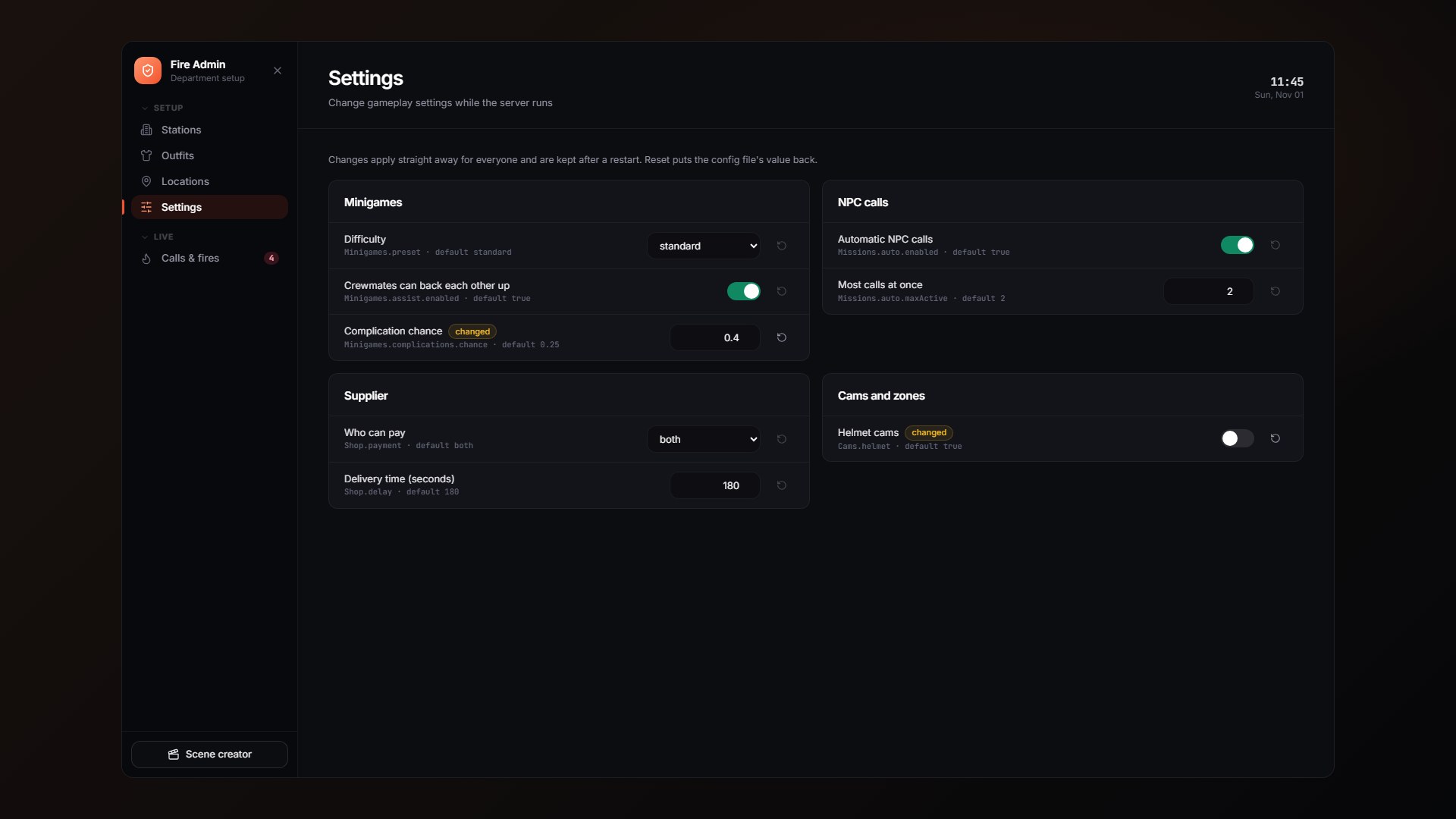
/fireadmin → Settings changes gameplay settings while the server runs: minigame difficulty, crew backup, experience and complications, NPC calls, the supplier, who can edit the calendar, share documents or read forms, cams and zones. Changes apply for everyone straight away and are kept after a restart; Reset puts the config file's value back. The list is Config.SettingsEditor in shared/config_settings.lua.
Tuning in game
A few things depend on how they look on your server:
Config.Hose.fx.rotation: if the water jet comes out sideways, tryz = 0,90,-90or180.Config.Tools.ladder.height: leave itnilto use the ladder model's own height, or set metres to override it. Prop lists use the first model that exists, so put your own model first and keep the base game one as a fallback.- Tool props (
axe,pikePole,chainsaw,thermalinConfig.Tools): adjustoffset/rotationif they sit wrong in the hand. - Particle names in
Config.Fires.fxandConfig.SceneFx: swap any that don't show. - Muffled audio (
Config.SCBA.muffleScene,Config.Cab.scene) uses a GTA audio scene. If it mutes too much or too little, try another scene name.